Run a Collections Review
Triage overdue receivables, confirm context, choose the next action, and leave every account with an owner and a safe next step.
A useful collections review does more than read an aging report. It combines exposure, client context, current commitments, ownership, and the next action.
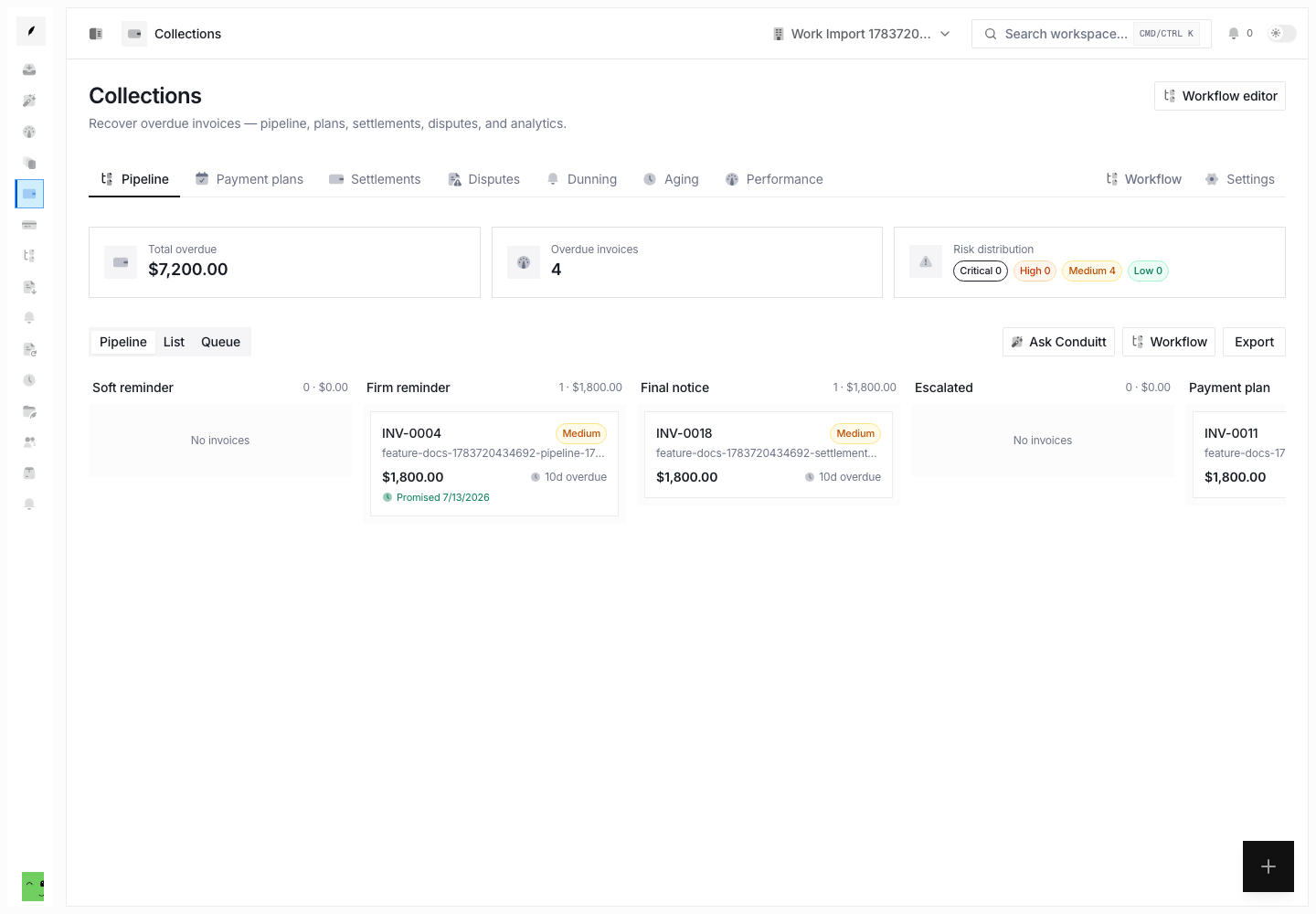
1. Start With the Summary
Open Collections and read the overdue summary before you open individual invoices. Note the total exposure, stage distribution, and accounts at the highest risk.
Use Collections → Aging when you need to compare older and newer exposure.
2. Choose the Working View
- Use Pipeline to examine stage progression.
- Use List to compare amounts, age, risk, promises, and owners.
- Use Queue to work explicit collection tasks by priority and due state.
For a weekly finance review, start with the pipeline. For daily execution, start with the queue.
3. Read the Invoice and Thread Context
Open the invoice detail. Then check the related Invoice Inbox thread before you act.
Confirm:
- the balance that remains and the due date
- delivery and reminder history
- the latest client reply
- dispute or wait state
- active payment promise
- active follow-up sequence
- current owner and task state
Do not send or escalate from age and amount alone.
4. Choose One Resolution Path
Continue normal follow-up
Keep or start a follow-up sequence when the invoice is eligible. Make sure no new client state stops it.
Record a promise
Record the promised date, amount, and confidence when the client commits to pay. Confirm the active sequence pauses or exits as intended.
Open a dispute
Create a dispute when the client challenges the invoice. Record the reason and description. Assign an owner. Collect the needed evidence before normal dunning resumes.
Create a payment plan
Use a plan when the client will pay the full balance through agreed installments. Confirm frequency, start date, terms, approval need, and the effect on dunning.
Offer a settlement
Use a settlement only under organization policy. Confirm the offered amount, discount, expiry, approval, and delivery channel.
Hold or write off
Use a credit hold when further work or credit must stop. Write off only when the invoice meets organization policy. Then record a reason. Use reversal when later evidence or payment changes that decision.
5. Leave an Owner and Next Action
Every receivable you review must end with:
- an owner
- a current stage
- a next action or an explicit wait state
- a due date when the account needs work
- a timeline note when you used judgment
Use a task for discrete work. Use a follow-up when the thread itself must return at a future time.
6. Review Automation Decisions
Open Collections → Dunning to confirm what Conduitt sent, skipped, or deferred, and why. Examine unexpected sends and missed suppressions before you increase automation.
7. Close the Review With Outcomes
Use aging and performance views to summarize:
- exposure by age and stage
- promises due or broken
- disputes that need resolution
- plans or settlements that need attention
- tasks without an owner or due action
- treated-versus-holdout paid-rate lift when the sample is large enough