Account Email Notifications
Control which personal inbox and task events should send you email.
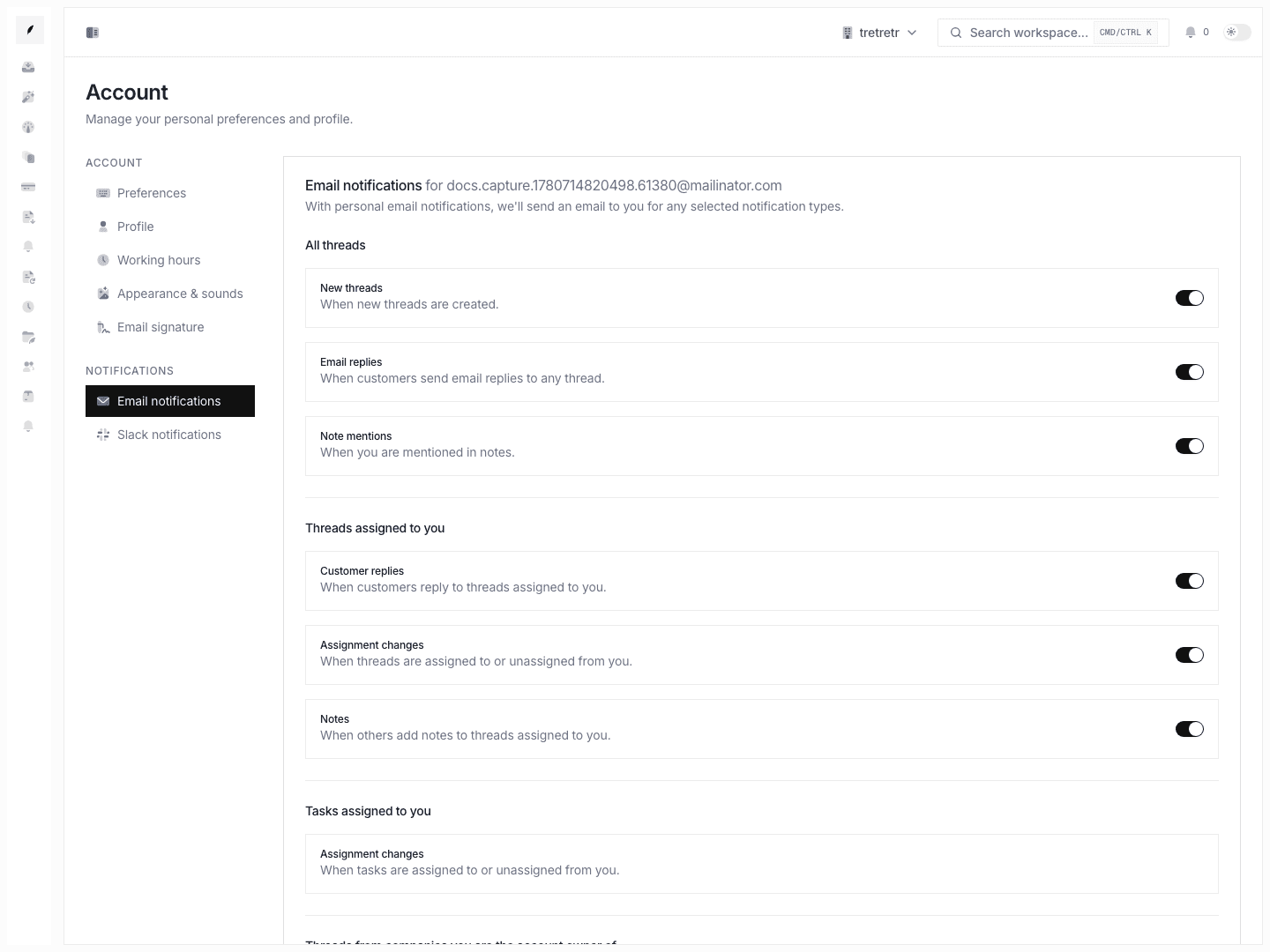
Account → Email Notifications is where you decide which workflow events should reach you by email.
Typical Workflow
- Open Account → Email Notifications.
- Enable or disable the event types relevant to your role.
- Save the form.
- Revisit the settings if your ownership model or queue scope changes.
After saving, personal email notifications become useful signal instead of background noise.
Event groups available
- all-thread events: new threads, replies, mentions
- assigned-thread events: customer replies, assignment changes, notes
- task events: assignment changes
- owned-company events
- team thread events
State and permission behavior
- these are personal notification rules
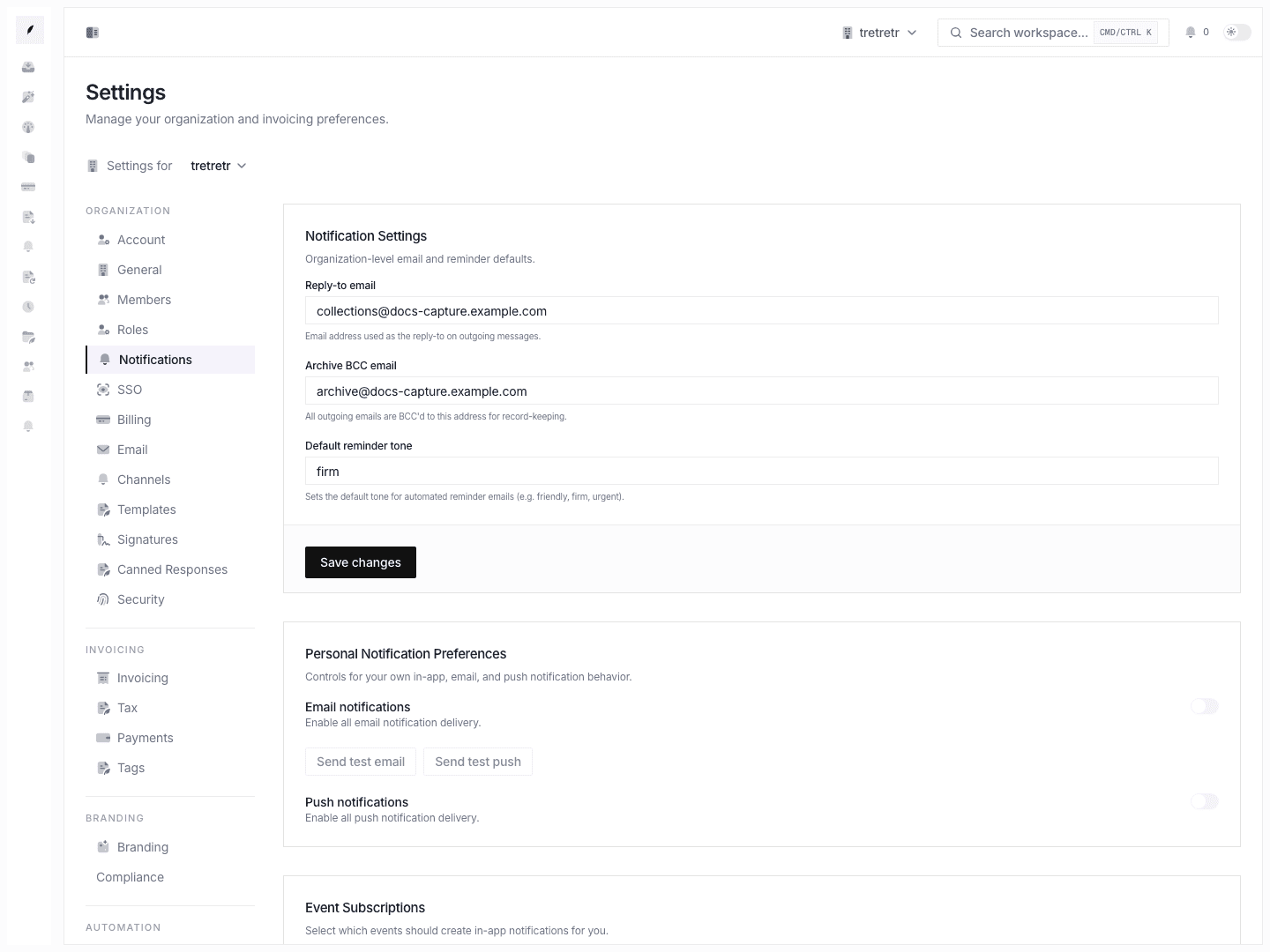
- they do not replace workspace-level reply routing or sender settings
- notification volume can change as assignment and ownership state changes elsewhere in the app
Troubleshooting
I changed notifications, but shared email behavior did not change
That is expected. Workspace reply-to and archive routing belong in workspace settings, not personal notifications.
I still receive too many alerts
Reduce the broad-scope event groups first, then keep only the assigned or team-specific events you actually need.