Account Preferences
Configure personal workflow behavior, timestamp display, and account deletion settings.
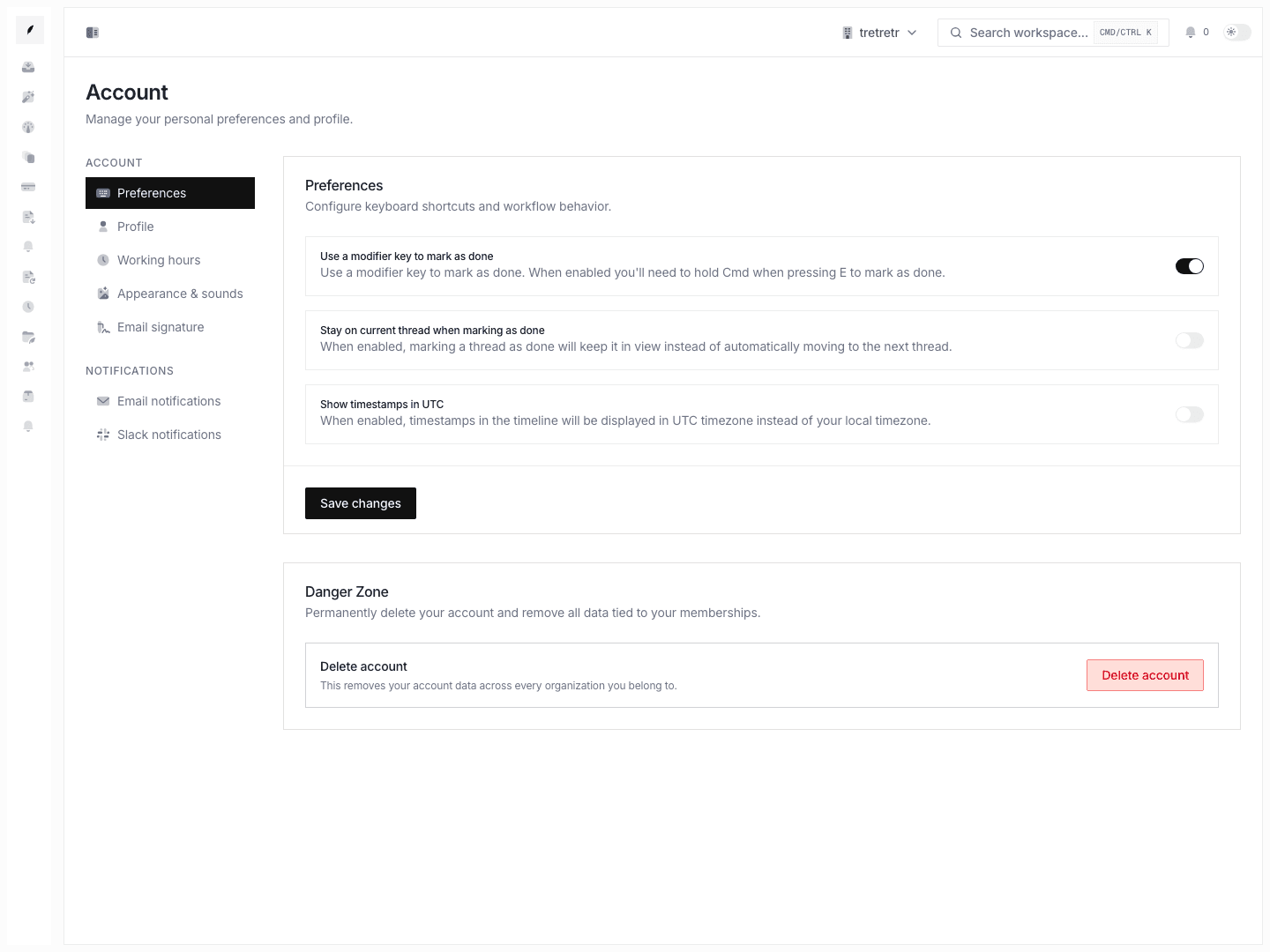
Account → Preferences is where you control how Corinthian behaves for you during day-to-day inbox work.
Typical Workflow
- Open Account → Preferences.
- Choose the workflow toggles you want to change.
- Save the form.
- Re-open the inbox and verify the behavior on a live thread.
After saving, your keyboard, post-resolution, and timestamp behavior match the way you actually work.
What you can configure
- modifier-key requirement when marking a thread done
- stay-on-thread behavior after marking a thread done
- UTC timestamp display instead of local time
Destructive action
This page also contains the personal account deletion flow. The confirmation dialog shows how many memberships and organizations are affected before the delete is queued.
State and permission behavior
- these settings are personal and do not change workspace defaults for other users
- account deletion is irreversible and affects all organizations tied to your user
Troubleshooting
Keyboard shortcuts still feel wrong
Check whether the modifier-key setting is enabled. That setting changes whether marking a thread done requires the extra key press.
I expected the next thread to open automatically
Review the stay-on-thread setting. It controls whether completing a thread advances your workflow or keeps the current thread visible.