Team Workflows
Coordinate billing work through assignments, notes, tasks, follow-ups, roles, and audit trails.
Team workflows in Corinthian are built out of several connected pages rather than one dedicated workflow page. Ownership, routing, notes, follow-ups, and task tracking are distributed across clients, invoices, inbox threads, and settings so teams can keep billing work attached to the record that matters.
Who uses it
- finance leads dividing collections and follow-up work
- teammates handing off issues between account, support, and billing roles
- workspace owners defining who can invite, assign, and manage organization settings
Typical Workflow
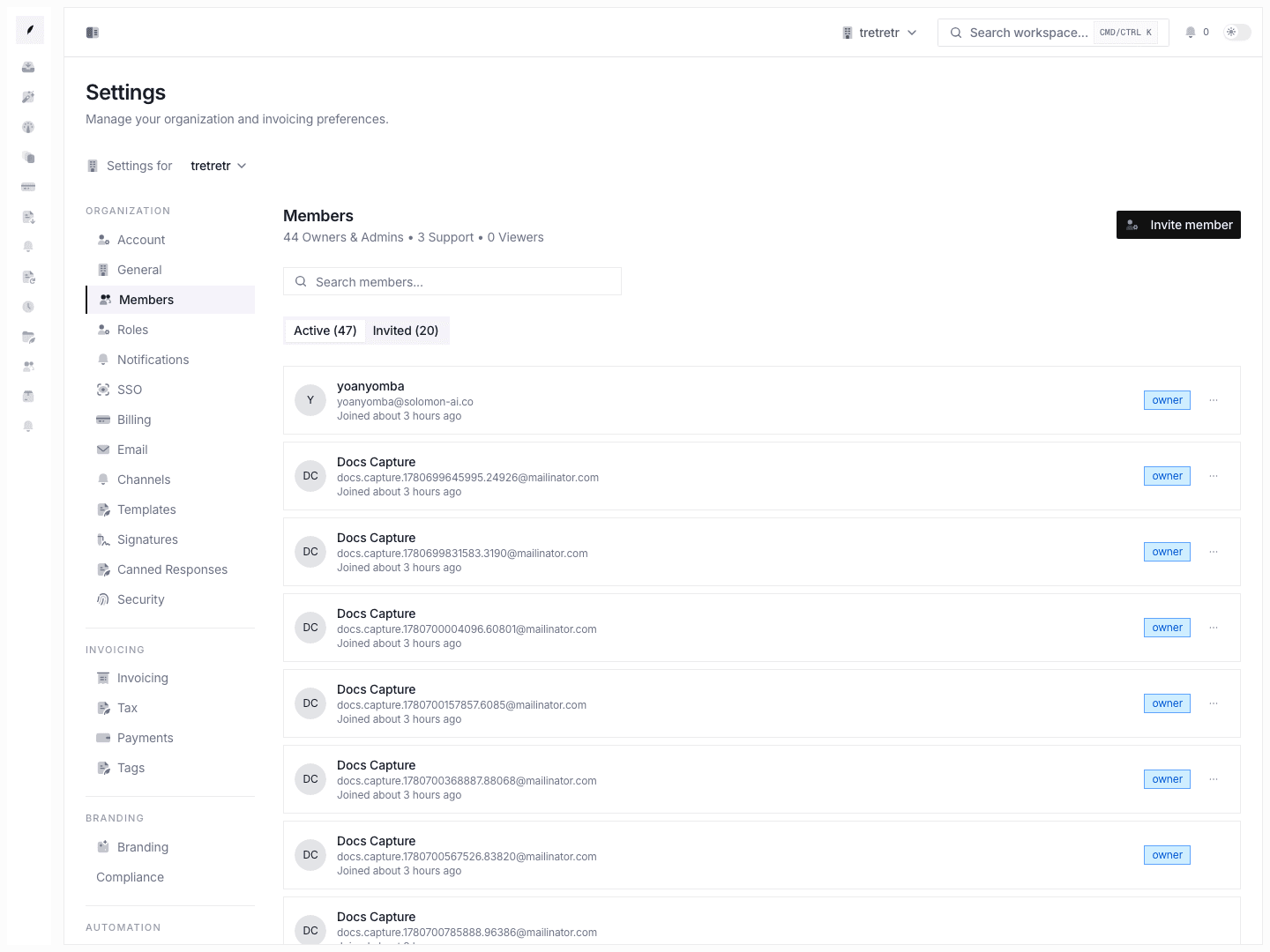
- Define the right member roles and ownership model in settings.
- Keep client ownership current on the client profile.
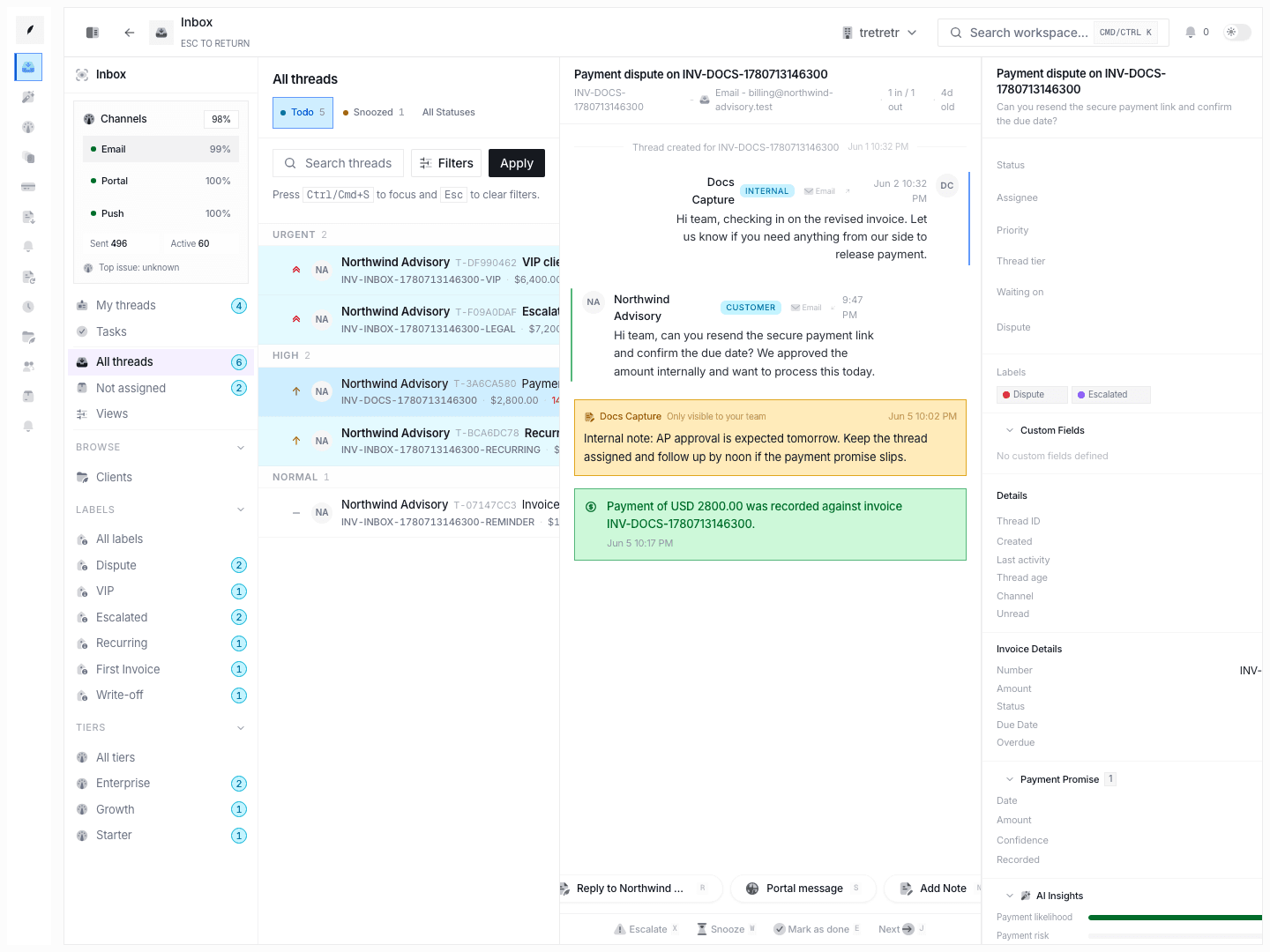
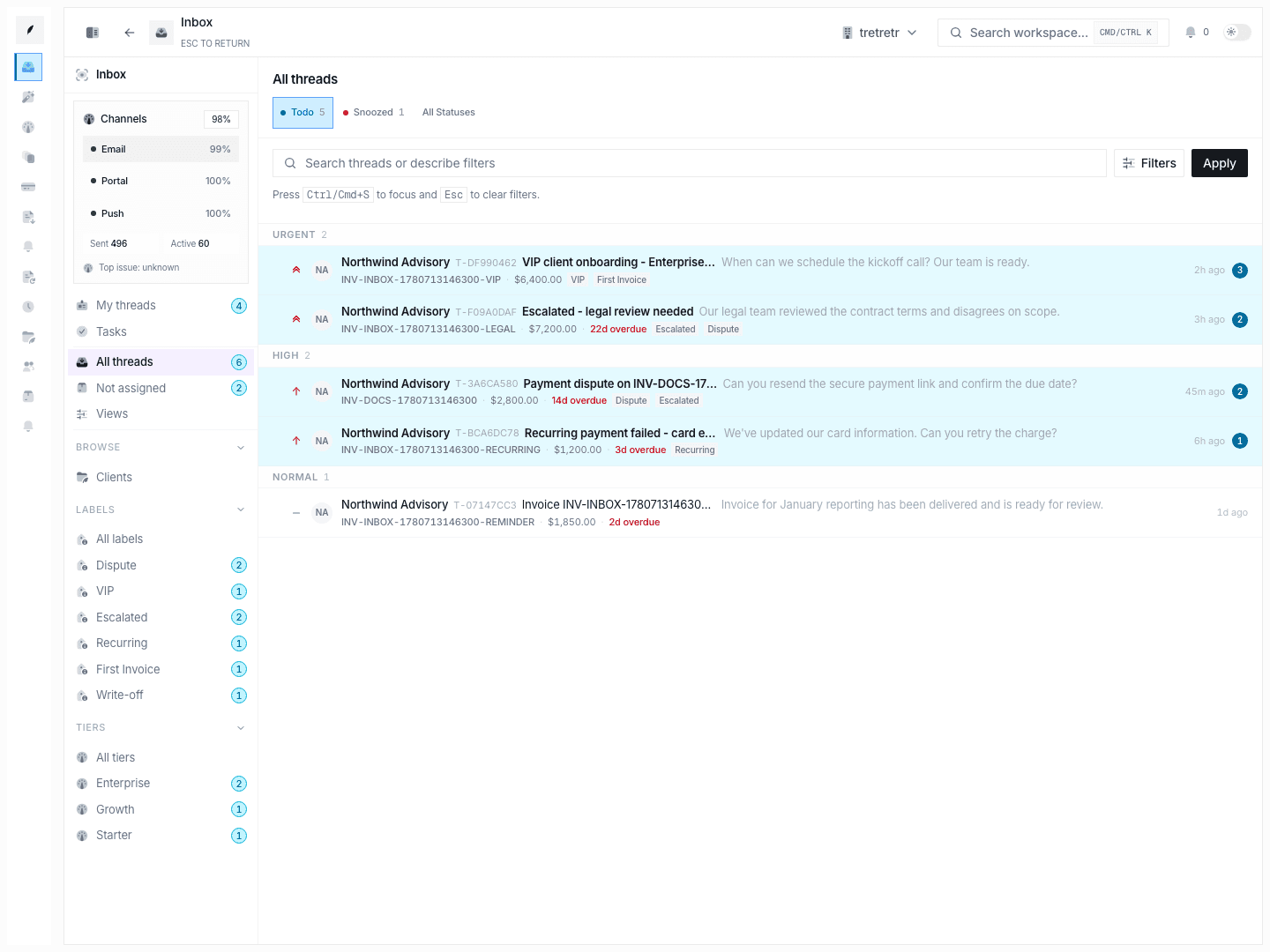
- Work live invoice communication from the inbox thread.
- Use notes, follow-ups, labels, and tasks to make the next owner and next action explicit.
- Review transition history when a thread stalls or a handoff looks unclear.
Used well, these workflows help the team answer who owns the work, what happened last, and what happens next without leaving the app.
Workflow building blocks
Ownership
- workspace membership and roles under settings
- relationship owner assignment on the client profile
- assignee and priority controls on inbox threads
Collaboration
- internal notes on inbox threads
- follow-ups with due dates and status
- linked tasks in the thread sidebar and global tasks board
- label and tier routing for recurring process buckets
Auditability
- member invites and ownership transfer history
- thread status, priority, assignee, and label transitions
- visible timeline events for replies, notes, reminders, and payment events
Permission and state behavior
- owner transfer is explicit and not just a normal role change
- some queues still follow ownership rather than full workspace sharing, so visibility can depend on invoice or client ownership
- assignment, labeling, and follow-up state all live on the thread record and affect how the queue reopens after inbound activity
Troubleshooting
Two teammates both think they own the same thread
Check the assignee, waiting-on state, and latest note in the thread sidebar. If ownership is still unclear, review recent transition history instead of relying on chat or memory.
A teammate cannot see a thread you can see
The current inbox visibility model is narrower than a fully shared queue. Confirm the underlying client or invoice ownership and whether the thread was assigned to the other teammate.
Work is being handed off in comments but not in the queue
Use a task or follow-up when the next step needs a durable owner and deadline. Notes alone preserve context, but they do not replace explicit task state.
Related pages
Team Access & Enterprise Controls
Invite teammates, manage ownership, review invite state, and configure SSO, verified domains, and directory sync from Corinthian settings.
Templates & Branding
Standardize invoice output with template structure, branding defaults, and asset-backed presentation controls.