Settings Payments
Save manual payment instructions and bank reference details for invoices.
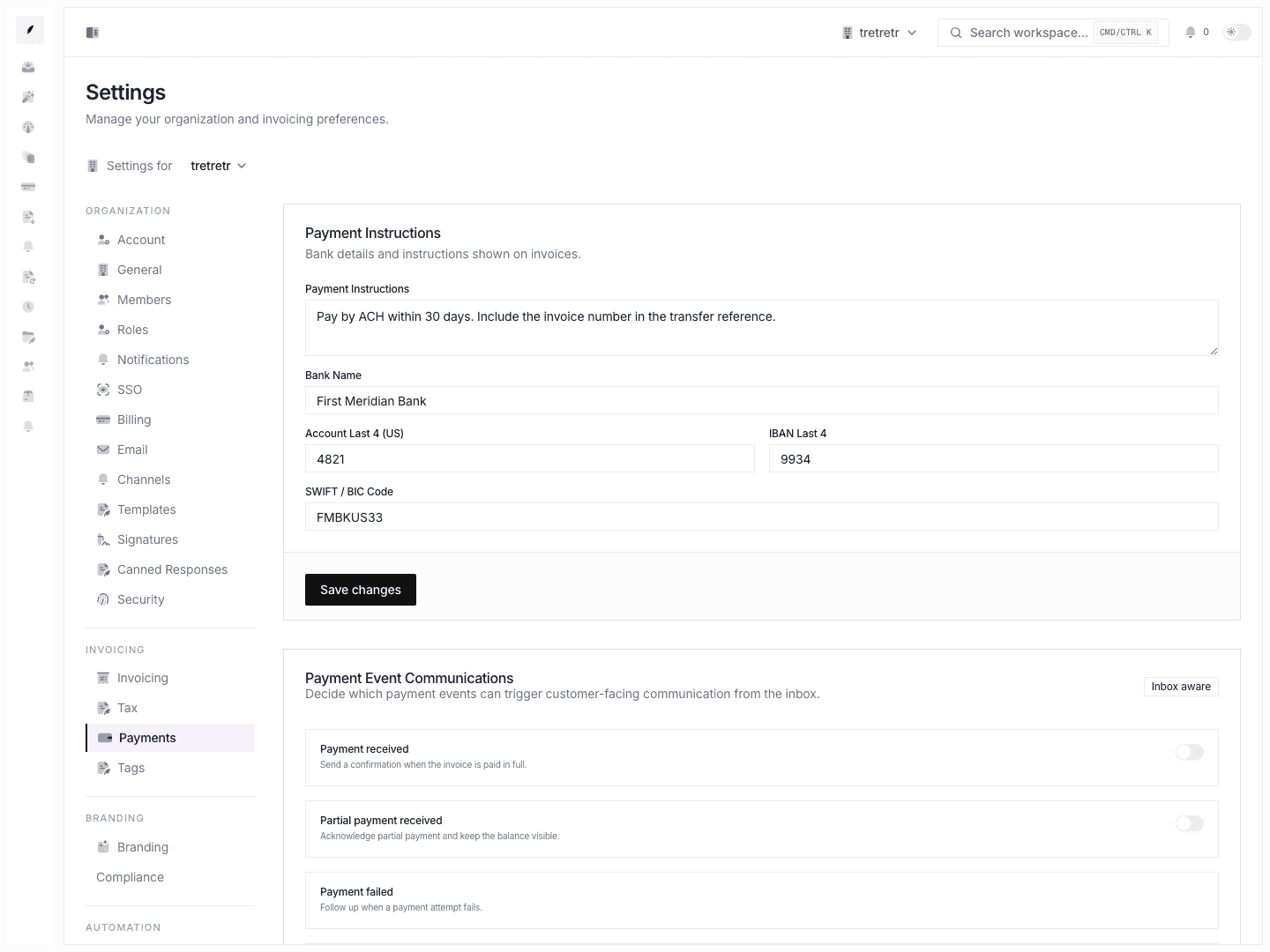
Settings → Payments lets you save the payment instructions and bank reference details that appear with invoices.
Payment Details You Can Save
- payment instructions
- bank name
- bank account last four digits
- IBAN last four digits
- SWIFT code
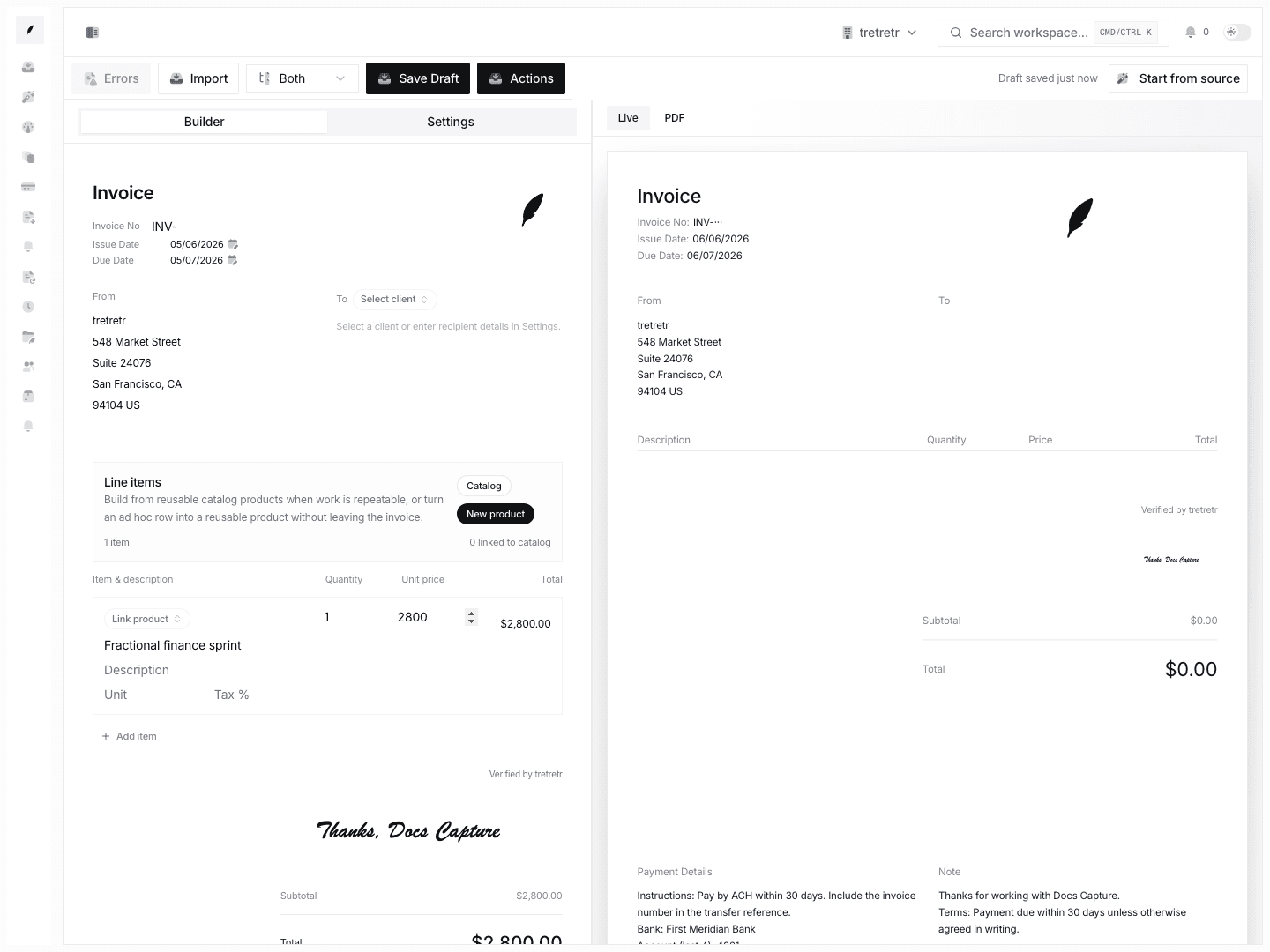
Use these settings to keep invoice footers and payment details accurate when clients pay by bank transfer or another manual method.
Typical Workflow
- Open Settings → Payments.
- Enter the payment instructions clients should follow.
- Save the bank reference fields your finance team wants visible on invoices.
- Preview or draft a new invoice to confirm the instructions render the way you expect.
For Stripe connection state, use Apps & Integrations. This page covers the payment instructions invoice recipients read when paying outside an embedded app flow.
Maintenance Notes
- update these fields when bank details change
- review the text whenever billing operations change regions or currencies
- verify the instructions still match what your reminders and template copy tell clients to do