Compliance
Manage unsubscribe handling, suppressions, quiet hours, rate limits, and legal identifiers for billing communication.
Corinthian includes compliance controls for customer-facing billing communication. Use them to maintain sender details, unsubscribe behavior, suppression lists, quiet hours, and outbound rate limits.
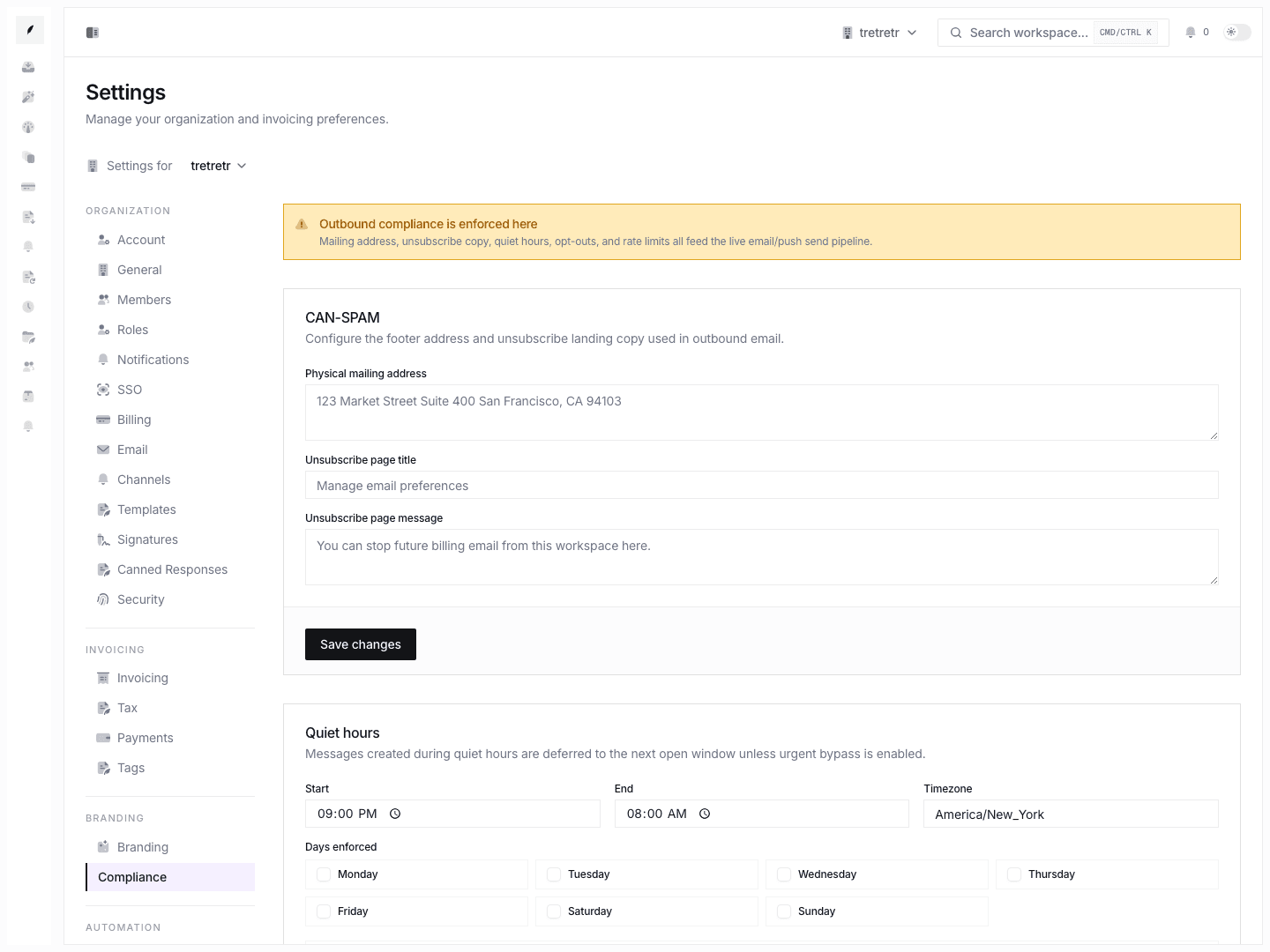
CAN-SPAM and Sender Details
If your organization sends commercial email to US recipients, CAN-SPAM requirements may apply. Corinthian provides fields for the physical mailing address and unsubscribe page copy used in outbound email.
Keep the physical mailing address current and accurate. Federal penalty maximums can change, so verify current limits against FTC guidance before publishing or relying on a specific dollar amount.
Unsubscribe Links
Corinthian supports unsubscribe landing pages through recipient-specific unsubscribe tokens. When a recipient unsubscribes, Corinthian records the preference as opted out and stores the opt-out source and timestamp.
Suppression List
The suppression list tracks addresses that should not receive outbound communication. Addresses can be added manually and may also be added from delivery events such as hard bounces.
- Open Settings → Compliance.
- Review the suppression list.
- Add an address with a channel and reason when needed.
- Remove a suppression only after the recipient has re-consented or the address has been corrected.
The current suppression form works with addresses. Domain-level suppression is not documented as a current dashboard workflow.
Quiet Hours
Quiet hours define when outbound communication should be deferred.
Configurable fields include:
- quiet-hours start time
- quiet-hours end time
- quiet-hours timezone
- quiet-hours days
- urgent bypass
Messages created during quiet hours are deferred to the next open window unless urgent bypass is enabled.
Rate Limits
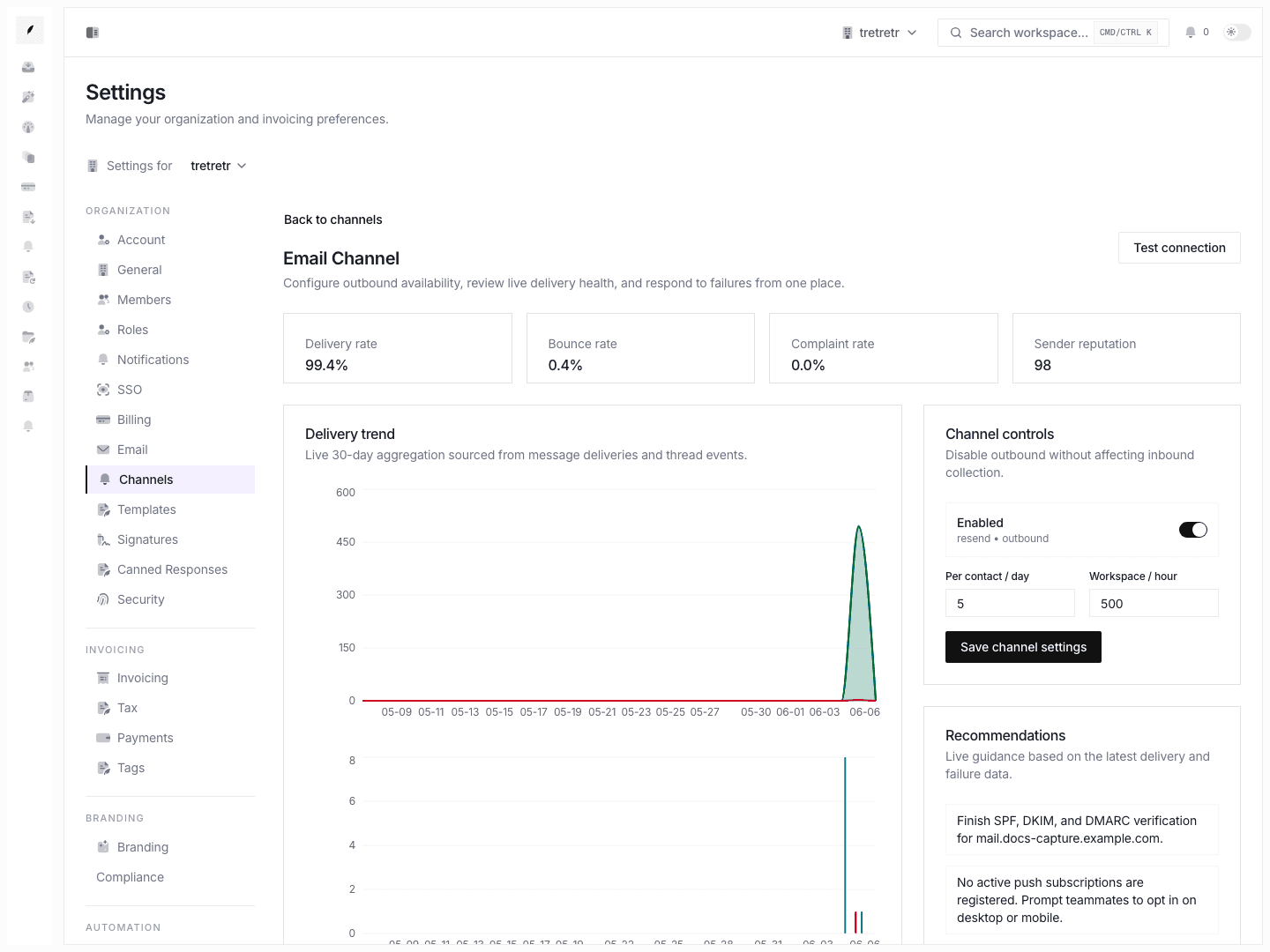
Compliance settings include per-contact daily caps and organization hourly caps for email and push.
| Setting | Scope |
|---|---|
| Email per contact per day | Per recipient email cap |
| Email per hour | Organization-level email cap |
| Push per contact per day | Per recipient push cap |
| Push per hour | Organization-level push cap |
Use the values in Settings → Compliance as the source of truth rather than hard-coded limits in documentation.
Opt-Out Records
Settings → Compliance lists opt-out records so admins can review recipient addresses that have opted out of communication.
What Is Not Included
The current product docs do not claim:
- a dedicated compliance-report page
- client-profile consent editing tabs
- bulk consent editing from the Clients workspace
- domain-wide suppression controls
- fixed statutory penalty amounts
Troubleshooting
A customer is not receiving email
Check the suppression list and opt-out records in Settings → Compliance, then inspect delivery events in the related inbox thread.
Messages are delayed
Review quiet-hours and rate-limit settings. A message may be deferred because the current time is outside the allowed window or because a limit has been reached.
The business address is wrong in email
Update the physical mailing address in Settings → Compliance, then send a test message or review a draft communication.