Invoice Inbox
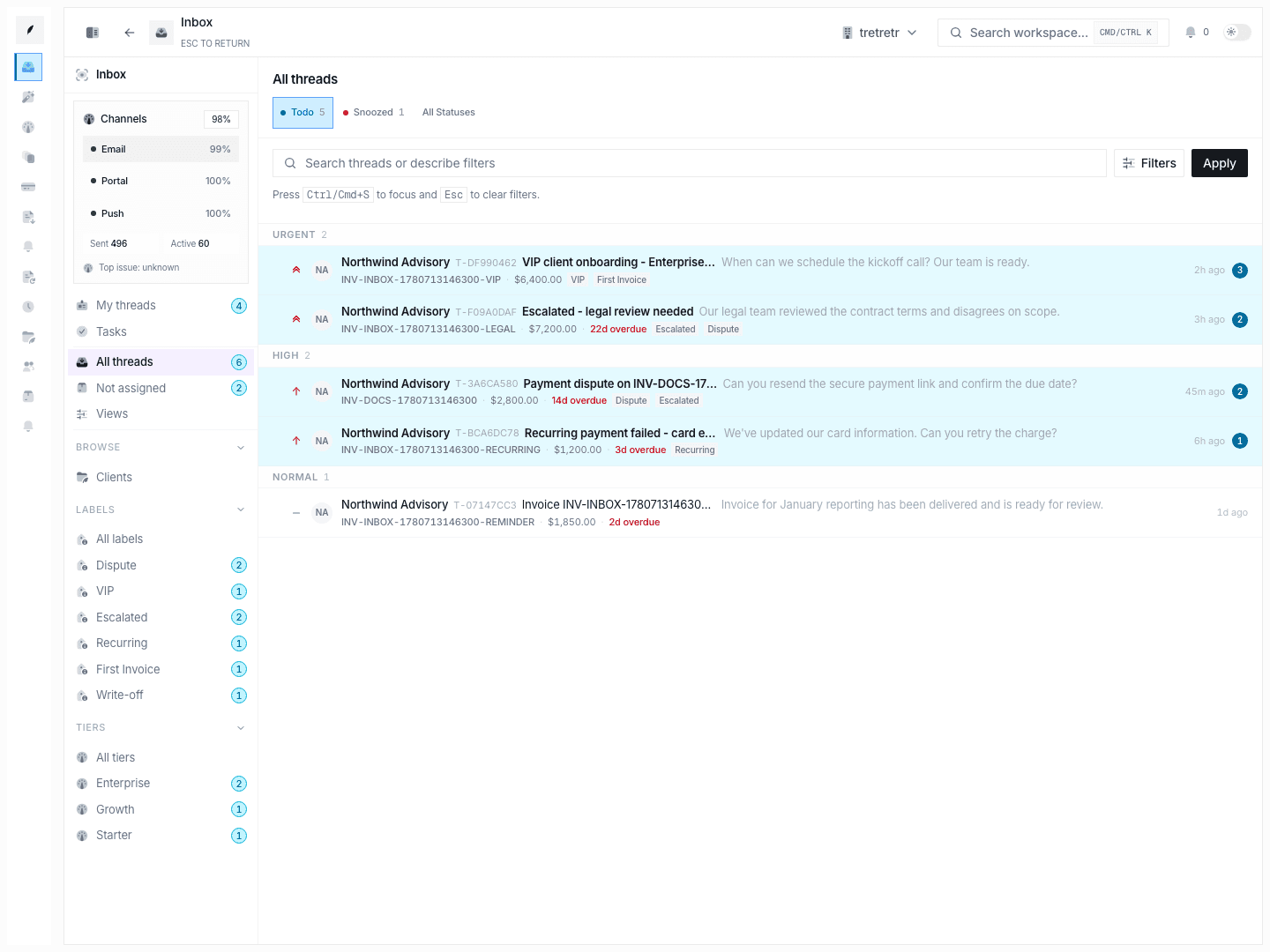
Work invoice replies as a queue with live thread history, metadata, follow-ups, labels, and payment context.
The invoice inbox is where your team handles invoice replies, payment questions, and follow-up work. It keeps the conversation, the owner, and the next step attached to the invoice instead of spreading collections work across separate tools.
Who uses it
- finance teams handling invoice replies and payment questions
- account teams supporting billing escalation or dispute resolution
- managers reviewing queue health and coverage gaps
Typical Workflow
- Open the broadest queue you need, usually
All threadsorMy threads. - Narrow the list by status, priority, search, or labels.
- Open a thread and read the full timeline before responding.
- Reply, add notes, update metadata, and schedule follow-up from the same workspace.
- Mark the thread
doneorsnoozedonly after the next step is explicit.
When the thread is up to date, your team can see the latest customer state, the owner, and the next step without leaving the inbox.
Current Capabilities
- grouped queue views by priority
- search plus AI-assisted filter parsing
- reply and note composers
- metadata sidebar for status, assignment, labels, promise data, links, and tasks
- task board and browse views for clients, labels, and tiers
- audit-style transitions for status, priority, assignee, and label changes
Thread workspace
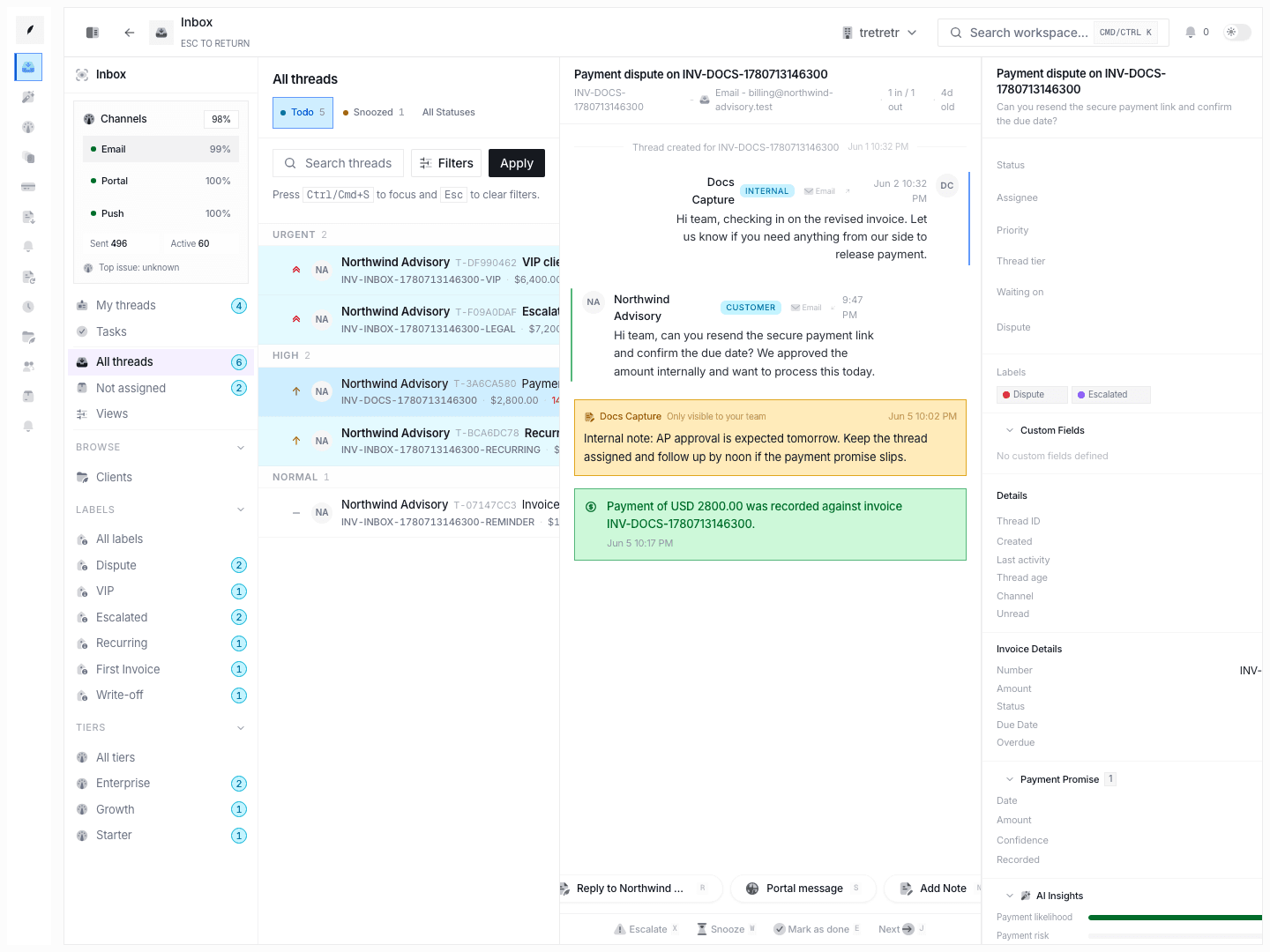
A thread view keeps three areas open at once:
- the queue on the left
- the conversation and composer in the center
- the metadata sidebar on the right
This is the default workspace for dispute resolution, payment chasing, and internal coordination.
Sidebar controls
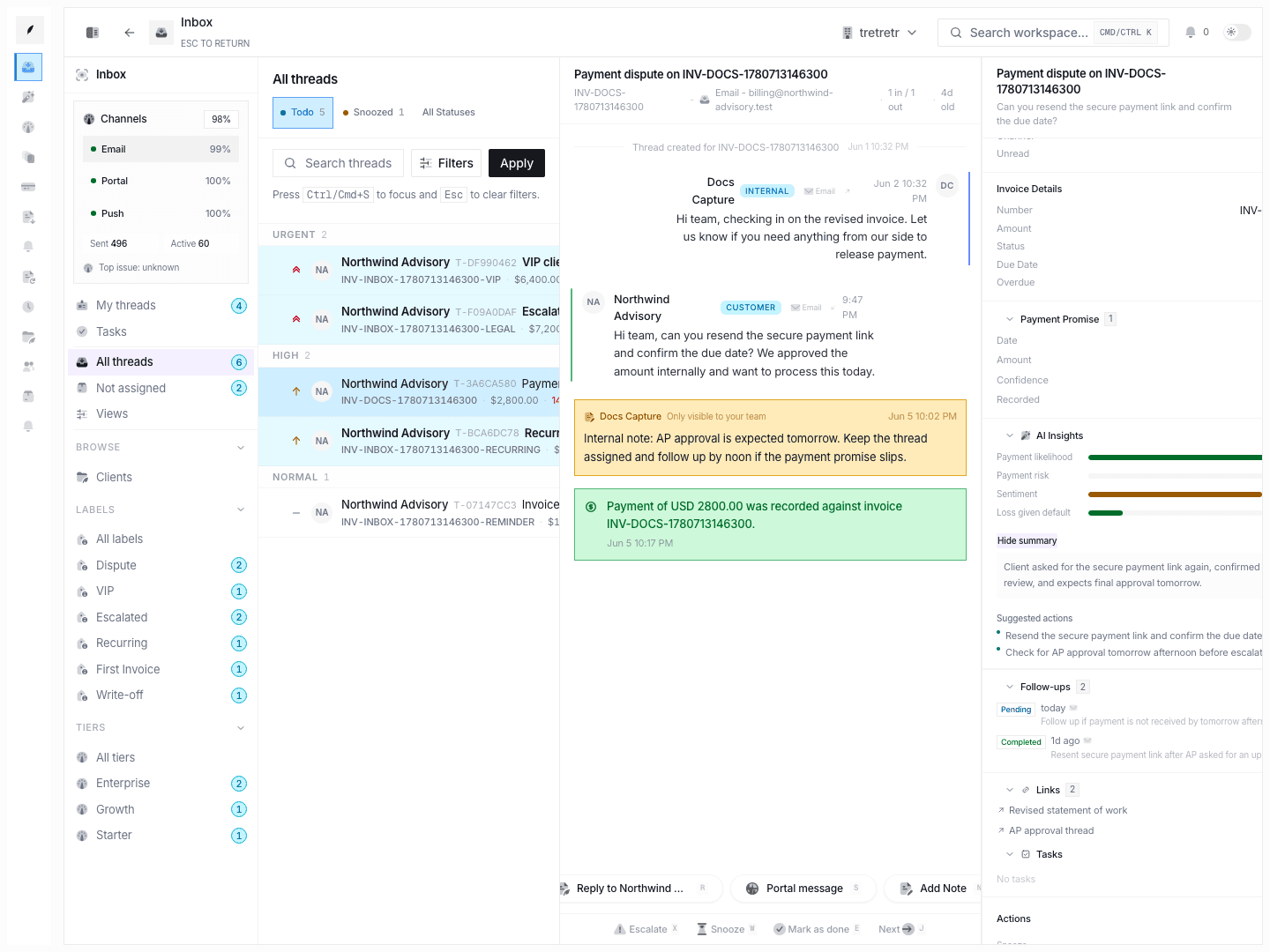
The sidebar is where teams keep the record accurate and current:
- status, assignee, priority, tier, waiting-on state, dispute state
- invoice details and aging context
- payment promise data
- follow-ups, links, and tasks
- actions such as reminder send, snooze, lock, auto-close, and payment recording
State and permission behavior
- opening a thread marks it read
- new inbound message-like activity increments unread count and can reopen a
snoozedordonethread totodo - queue visibility still depends on invoice or client ownership, so not every teammate sees the same thread list
- bulk actions include
doneandsnooze; bulk assign and bulk label are not available yet
Troubleshooting
A thread came back after we already resolved it
Check the latest inbound event. New customer activity intentionally reopens resolved or snoozed work.
The list view does not match what another teammate sees
Compare assignee, queue filters, and ownership context. All threads is not yet a universal organization queue.
A reminder or payment was handled but the thread still looks stale
Review the event timeline and sidebar fields. Payment promises, recorded payments, and reminders should all be visible in the thread record when the workflow completed correctly.