Client Profile
Work the full client record with financial overview, activity, invoices, ownership, portal controls, and enrichment details.
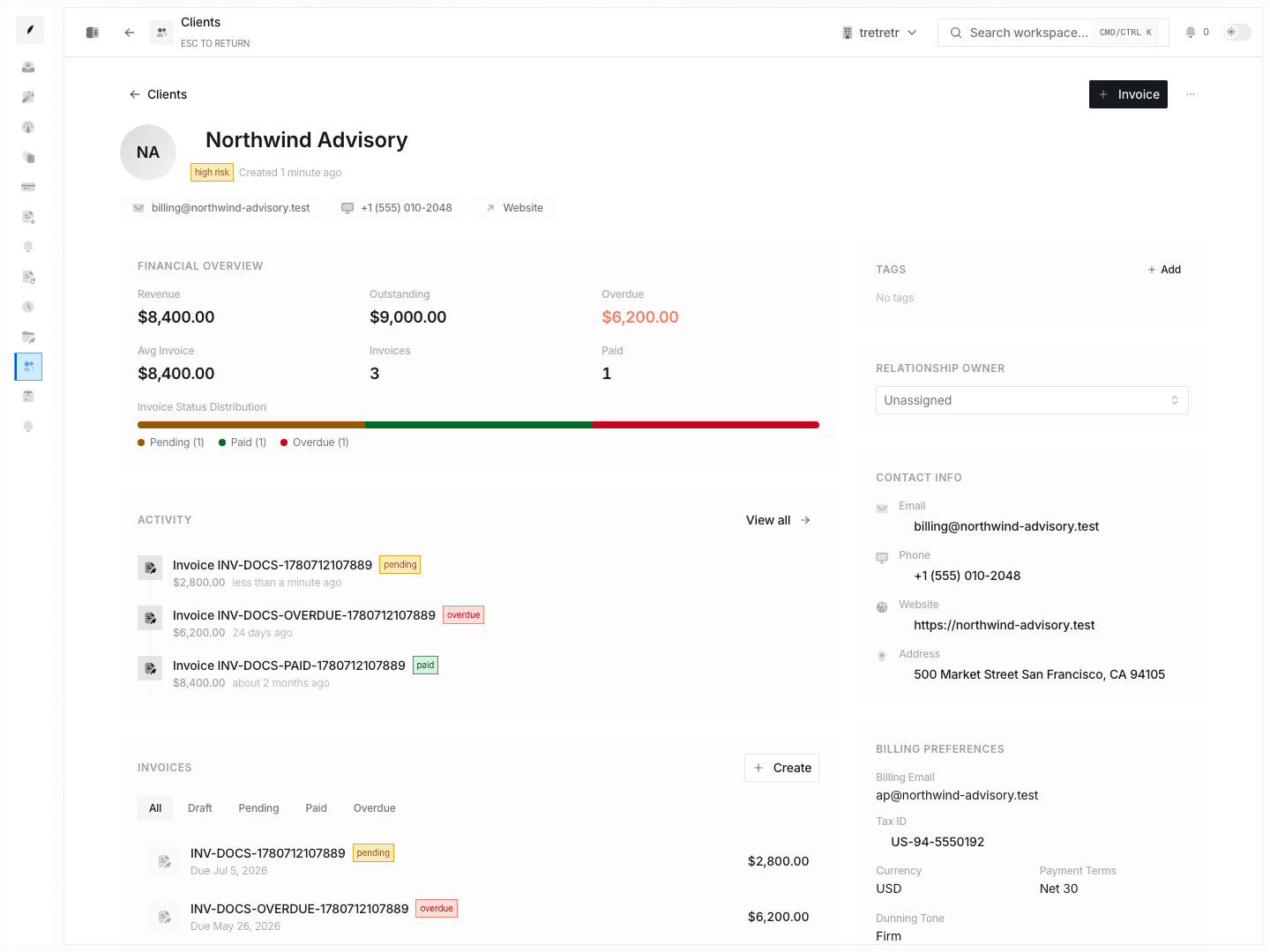
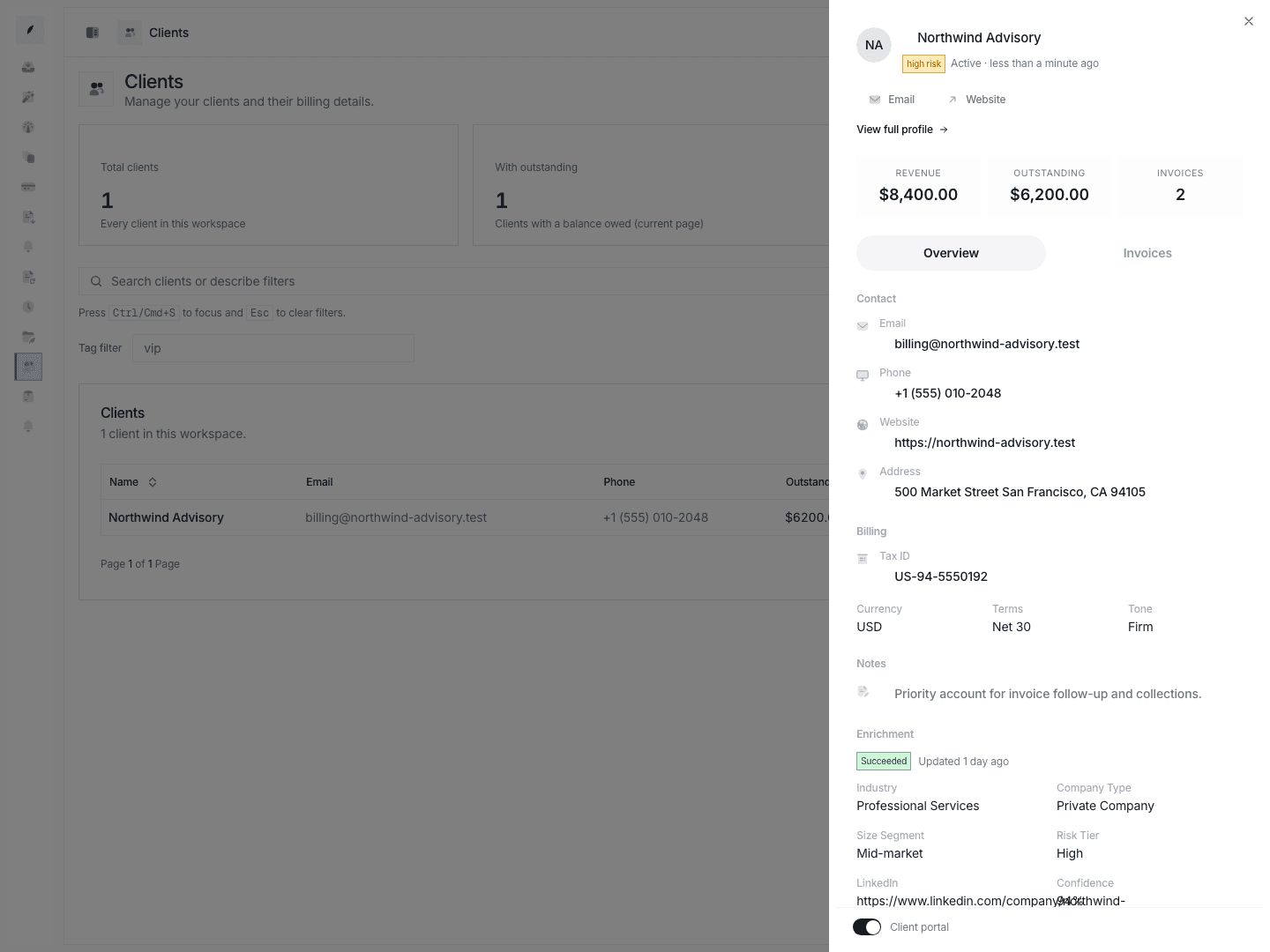
The full client profile is for deeper account work than the list-side detail sheet can support.
Typical Workflow
- Open the client from the clients list.
- Review the financial overview and recent activity first.
- Update ownership, billing preferences, contacts, or portal state.
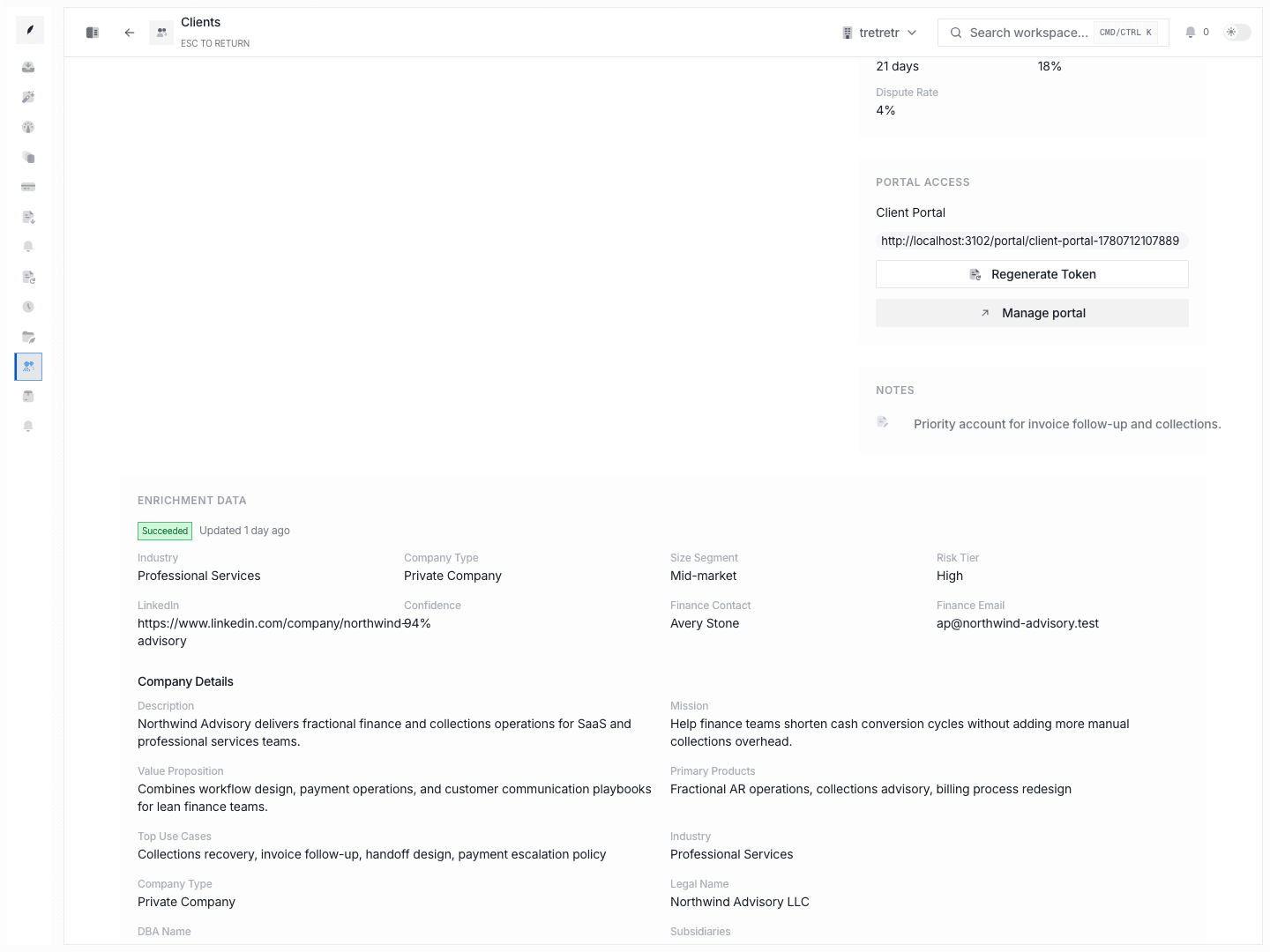
- Inspect invoices and enrichment detail before leaving the account.
The full profile helps the account record reflect the real billing relationship and gives the team enough context to invoice, chase payment, or escalate correctly.
What The Full Profile Adds Beyond The Detail Sheet
- financial overview
- recent activity timeline
- dedicated invoice table
- relationship-owner management
- billing and collections contacts
- portal URL and token controls
- expanded enrichment detail
State and permission behavior
- the profile is the deeper account-management page and should be preferred when multiple billing attributes need review together
- portal access and ownership changes have downstream effects outside the client list itself
Troubleshooting
The detail sheet is too narrow for the change I need to make
Use the full profile instead of trying to work the whole account from the list.
I need richer account context before chasing an invoice
Review the financial overview, invoice history, and enrichment block together before acting.