Team Access & Enterprise Controls
Invite teammates, manage ownership, review invite state, and configure SSO, verified domains, and directory sync from Corinthian settings.
Team access brings member management, invitations, ownership safeguards, and enterprise sign-in controls together so your workspace stays secure and easy to manage.
Related Settings Pages
Current Capabilities
You can manage:
- active member rows with profile-aware name, email, avatar, role, and last-active context
- invite history with pending, accepted, revoked, and expired states
- invite delivery visibility with sent or failed-email status
- explicit ownership transfer instead of generic owner role edits
- remove-member impact summaries before access is revoked
- enterprise access controls for SSO, verified domains, domain join policy, and directory sync reconciliation
How the members workspace is organized
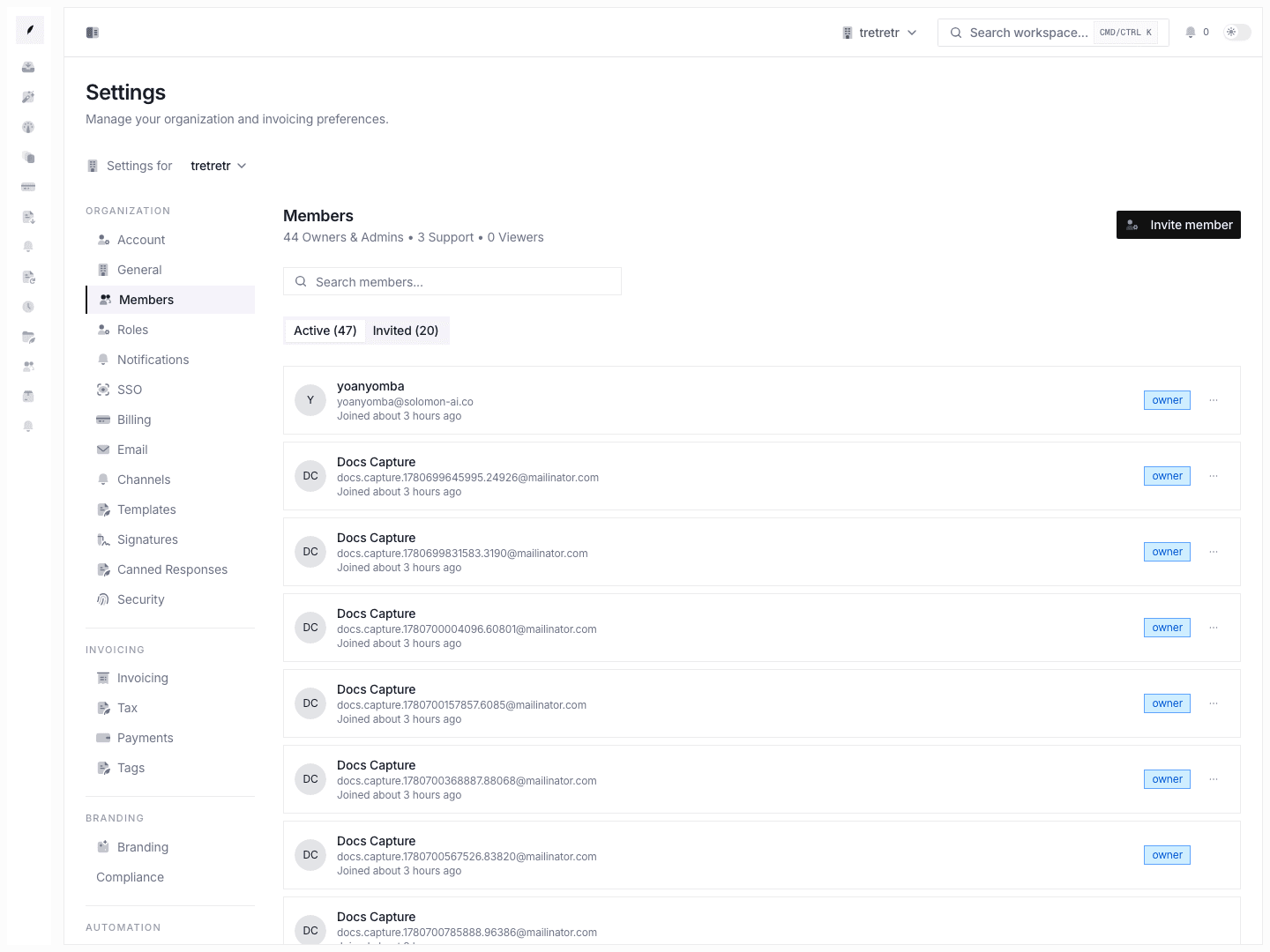
Most day-to-day team management happens in Settings → Members, which is split into two tabs.
| Tab | What it is for |
|---|---|
| Active | Review current members, roles, ownership, and last-active state. |
| Invited | Track pending invites and keep accepted, revoked, and expired history visible. |
Active members
The active tab is where admins and owners manage the current workspace roster.
- each row shows the teammate's profile data instead of a raw ID
- owners are visually distinct from non-owner roles
- role edits are limited to non-owner roles such as
admin,support, andviewer - ownership transfer is a dedicated action with confirmation
- removal uses an impact summary instead of a blind destructive action
Ownership controls
Corinthian treats ownership differently from normal role changes.
- owners are not assigned from the standard role menu
- ownership transfer is the explicit handoff flow
- the current owner is demoted to
adminas part of the same transaction - the system protects against removing the last remaining owner
How invite state is surfaced
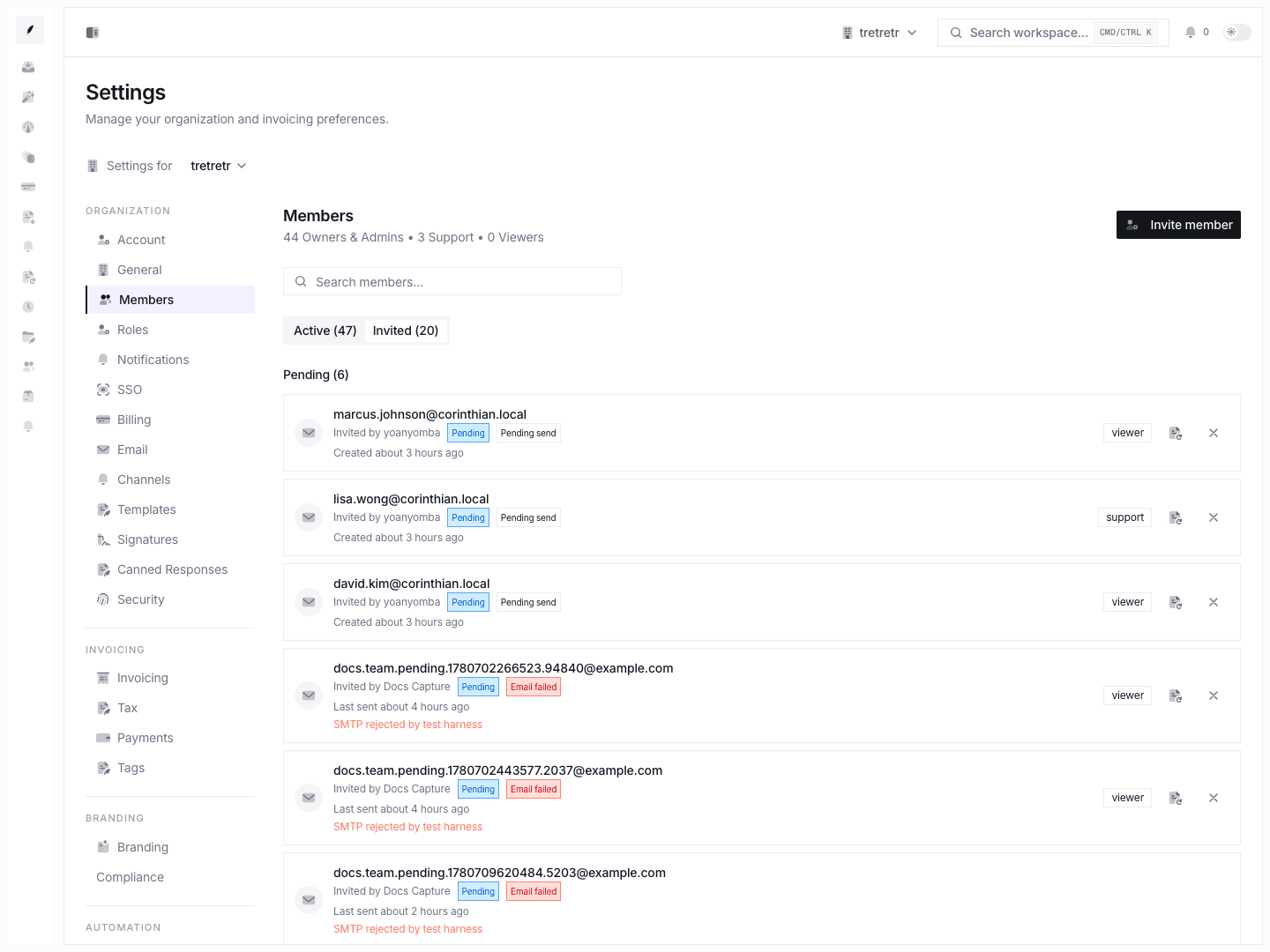
The invited tab separates current pending work from historical state.
Pending invites
Pending rows show:
- invitee email
- assigned role
- who sent the invite
- delivery outcome
- resend and revoke actions
This matters because an invite record can exist while email delivery still fails. Corinthian shows that distinction directly in the settings UI.
Historical invites
Historical rows keep accepted, revoked, and expired invites visible after the pending queue is clear. That gives the workspace a basic audit trail for how access changed over time without hiding invite history from the team.
Delivery states
Current delivery states shown in the UI are:
- Email sent when Corinthian recorded a successful send outcome
- Email failed when the invite record exists but delivery failed
- Pending send when no successful send metadata is available yet
Remove-member safeguards
When an admin removes a member, Corinthian revokes access immediately but preserves business records. Before confirmation, the settings flow can show:
- owned invoices
- owned clients
- owned templates
That summary is meant to prevent accidental orphaning of active work, especially when a teammate owns active billing relationships.
Enterprise access controls
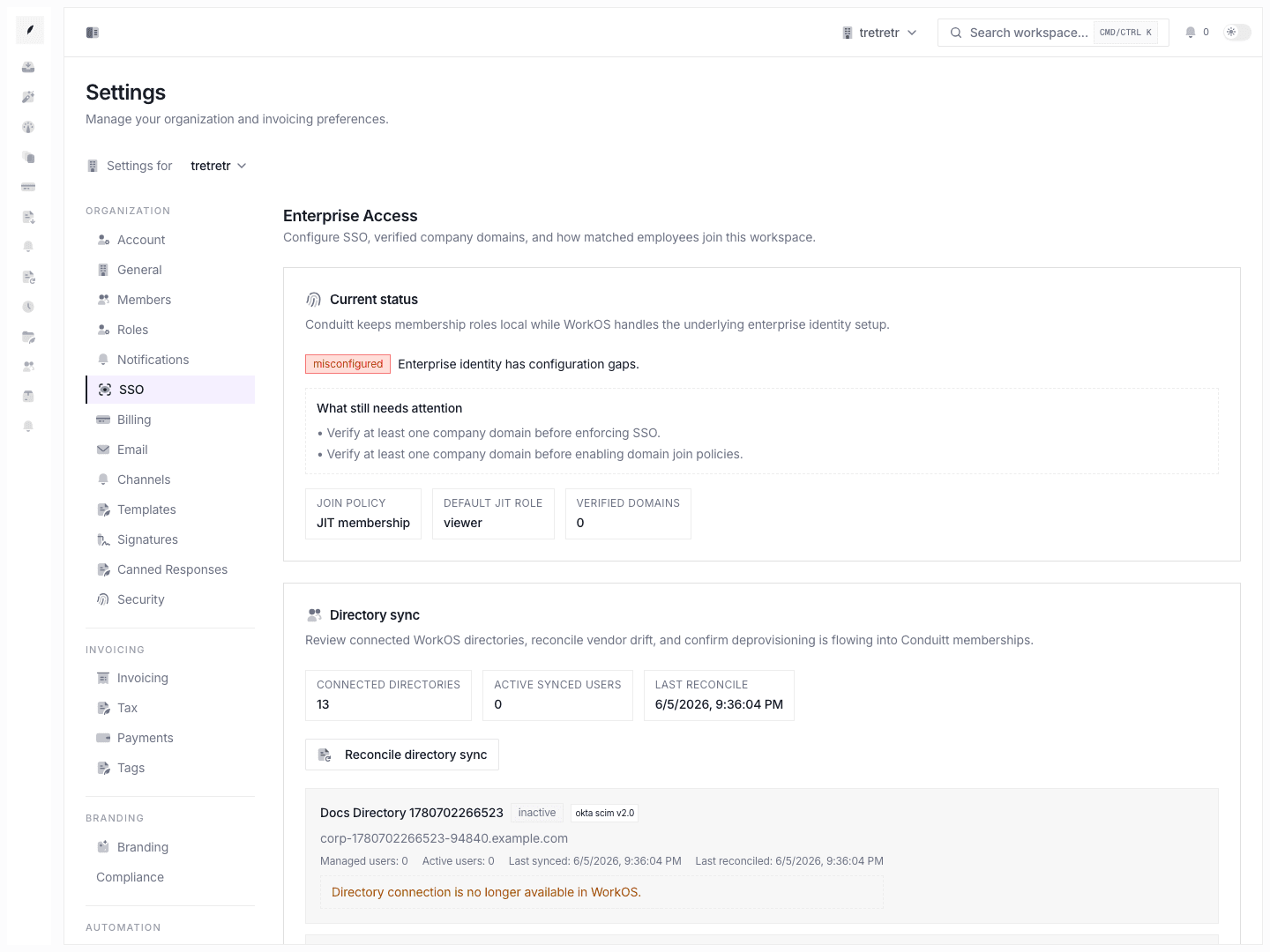
Enterprise identity controls live under Settings → SSO.
What owners can configure
Owners can:
- require SSO for the workspace
- add and verify company domains
- choose a domain join policy
- set the default role for JIT-created members
- open the WorkOS SSO setup flow
- review connected directory-sync state
- trigger directory reconciliation
Domain join policy options
The current join-policy options are:
- No action when matched-domain sign-in should not change workspace access
- Suggested workspace join when Corinthian should point the user at the matching workspace
- Automatic pending invite when matched users should land in the normal invite flow
- JIT membership when approved-domain users can become members immediately with a default app role
Directory sync
Directory sync extends the same model for enterprise organizations with external identity providers.
- connected directories show active and managed user counts
- last sync and last reconcile timestamps stay visible in the UI
- reconciliation lets the workspace align vendor membership state with local Corinthian membership state
- deprovisioning and ownership protections stay inside Corinthian's own membership rules
Recommended operating pattern
- Invite teammates from Settings → Members with the lowest role that still lets them do their job.
- Use the invited tab to confirm whether the invite was delivered successfully.
- Transfer ownership only after the target member is active in the workspace.
- Remove members through the confirmed flow so you can review owned records first.
- Configure SSO and verified domains from Settings → SSO once the workspace starts onboarding a larger company or internal IT owner.
- Use directory sync only when the organization is ready to let the external directory drive membership state.