Inbox Views & Queues
Understand how personal queues, shared queues, filters, and status tabs divide inbox work.
The inbox is not one flat list. Corinthian splits the work into personal queues, broader queues, and filter state so teams can separate ownership from intake without losing the thread history that keeps the work together.
Typical Workflow
- Start in
All threadsorNot assignedto catch new or reopened work. - Move owned work into
My threads. - Use status tabs and filters to cut the queue down to the segment you need to work.
- Open the selected thread and keep the queue context in the URL so you can move to the next item without resetting your search.
These queue views help you work one coherent segment instead of re-scanning the full inbox repeatedly.
Personal and broader work
My threads
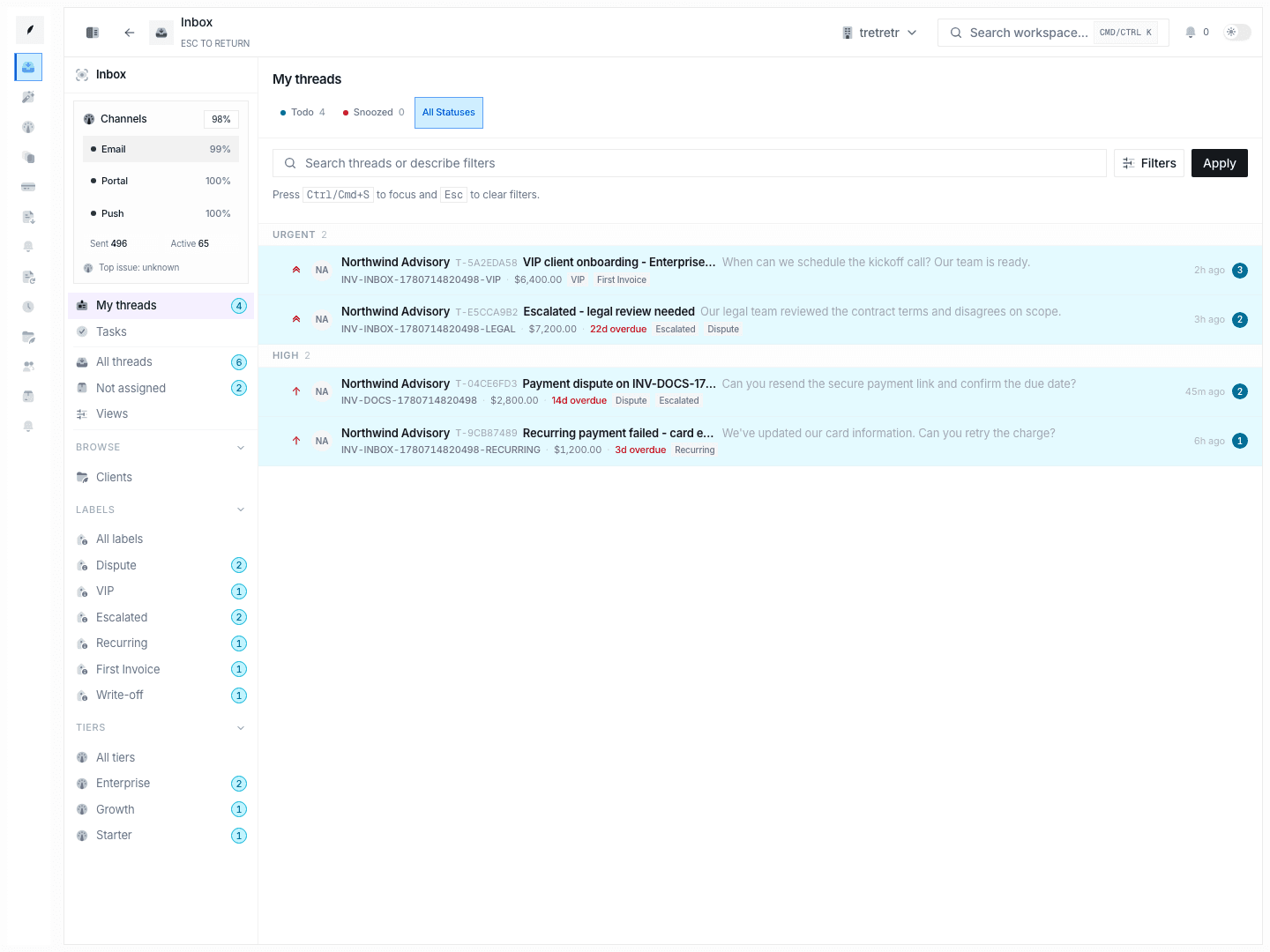
Use Inbox → My Threads for work already assigned to you. This view defaults to a broader status view so personal execution work is easier to review.
All threads
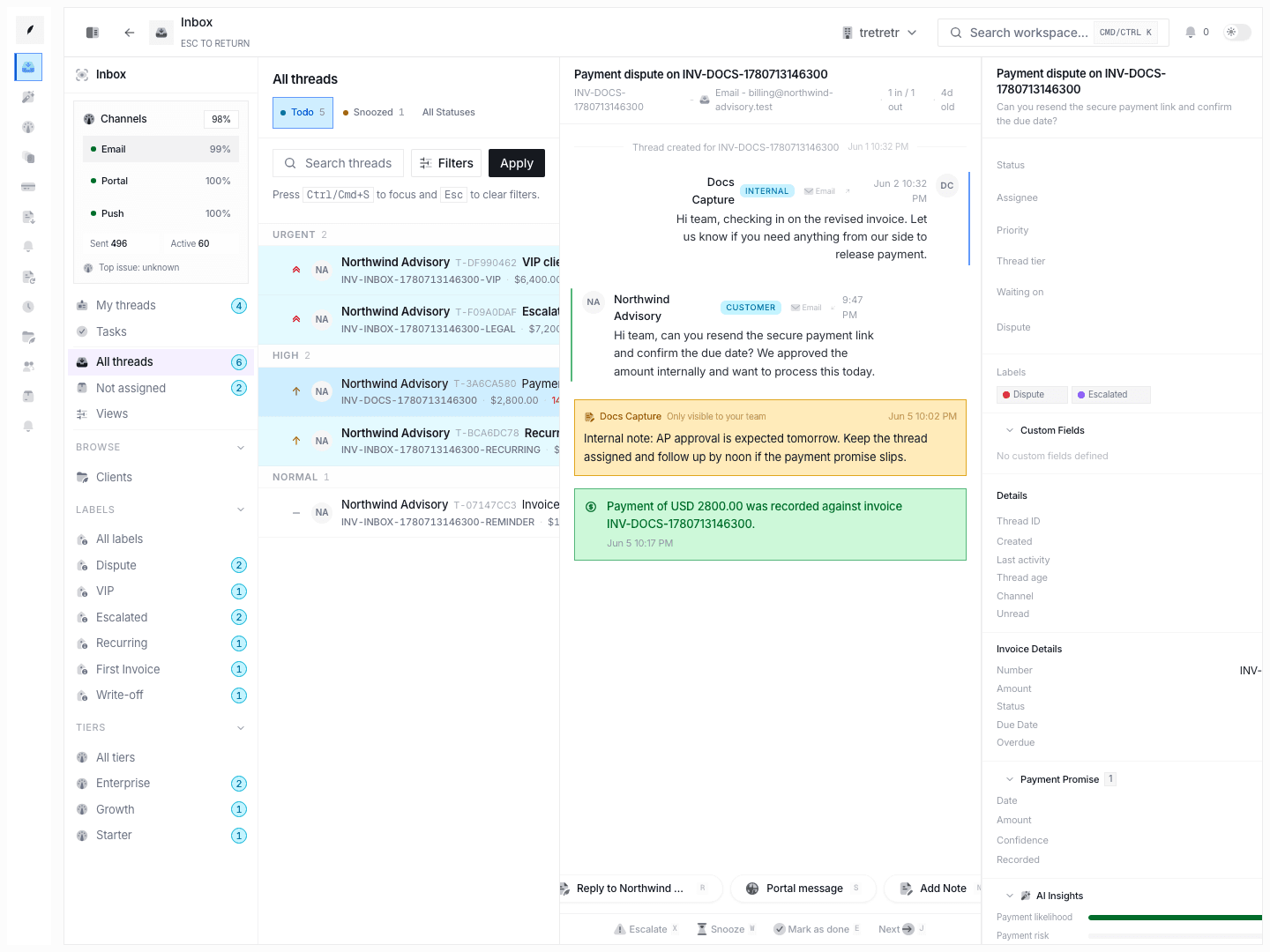
Use Inbox → All Threads for the broadest queue available to you.
Not assigned
Use Inbox → Not Assigned to isolate threads that still need an owner.
Filter behavior
The queue supports:
- status tabs:
todo,snoozed,all - priority filter:
urgent,high,normal,low - multi-label filtering
- text search against thread context
- natural-language AI filter parsing
Filters stay in the URL, which is why the queue context survives when you open a thread and move back.
Current limitation to know
Inbox visibility still follows ownership more than a fully shared team queue:
- invoice-created threads inherit invoice ownership context
- inbound-created threads inherit client ownership context
All threadsis not yet a universal organization queue
Teams should account for that when comparing workloads across users.
State and action behavior
- the list is grouped by priority and sorted by recent activity within each band
- infinite loading is used for larger datasets
- bulk actions support
doneandsnooze - visible navigation includes a
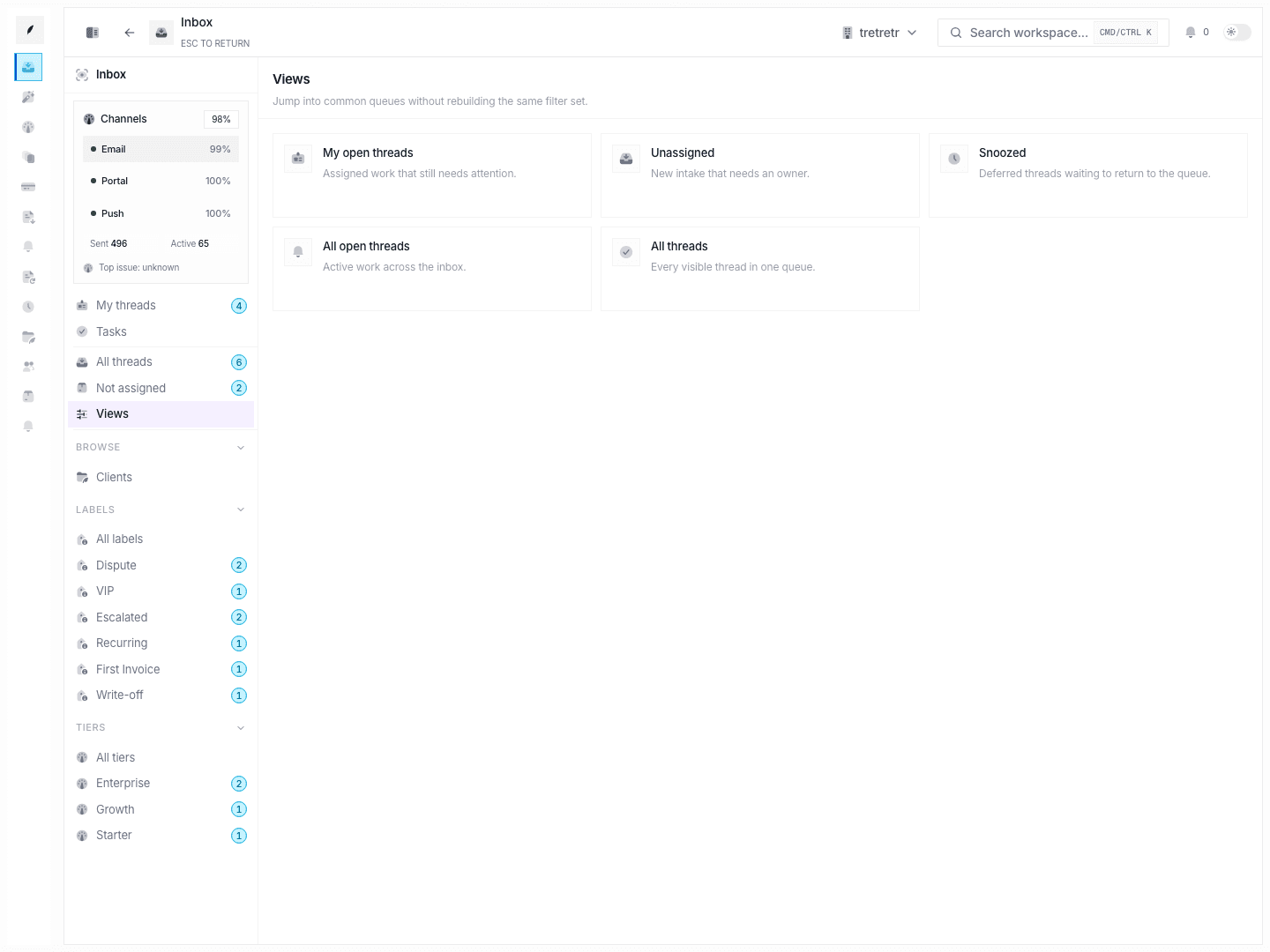
Viewsentry, but the browse and task pages are the more complete sub-experiences today
Troubleshooting
I filtered the queue and then lost my place
Re-open the page with the same URL parameters. Filter state is URL-backed and should restore the same segment.
All threads still seems incomplete
That is usually a visibility-model issue, not a broken filter. Compare ownership and assignee context before assuming data is missing.
Bulk actions do not offer every queue operation
Use per-thread controls for assignment and labeling changes.