Inbox Thread Lifecycle
Learn how thread state, timeline events, notes, reminders, follow-ups, and audit history evolve after an invoice enters the inbox.
An inbox thread is the operating record for invoice follow-up. It combines the customer conversation, workflow metadata, and next-action state so teams can resolve payment work without splitting context across tools.
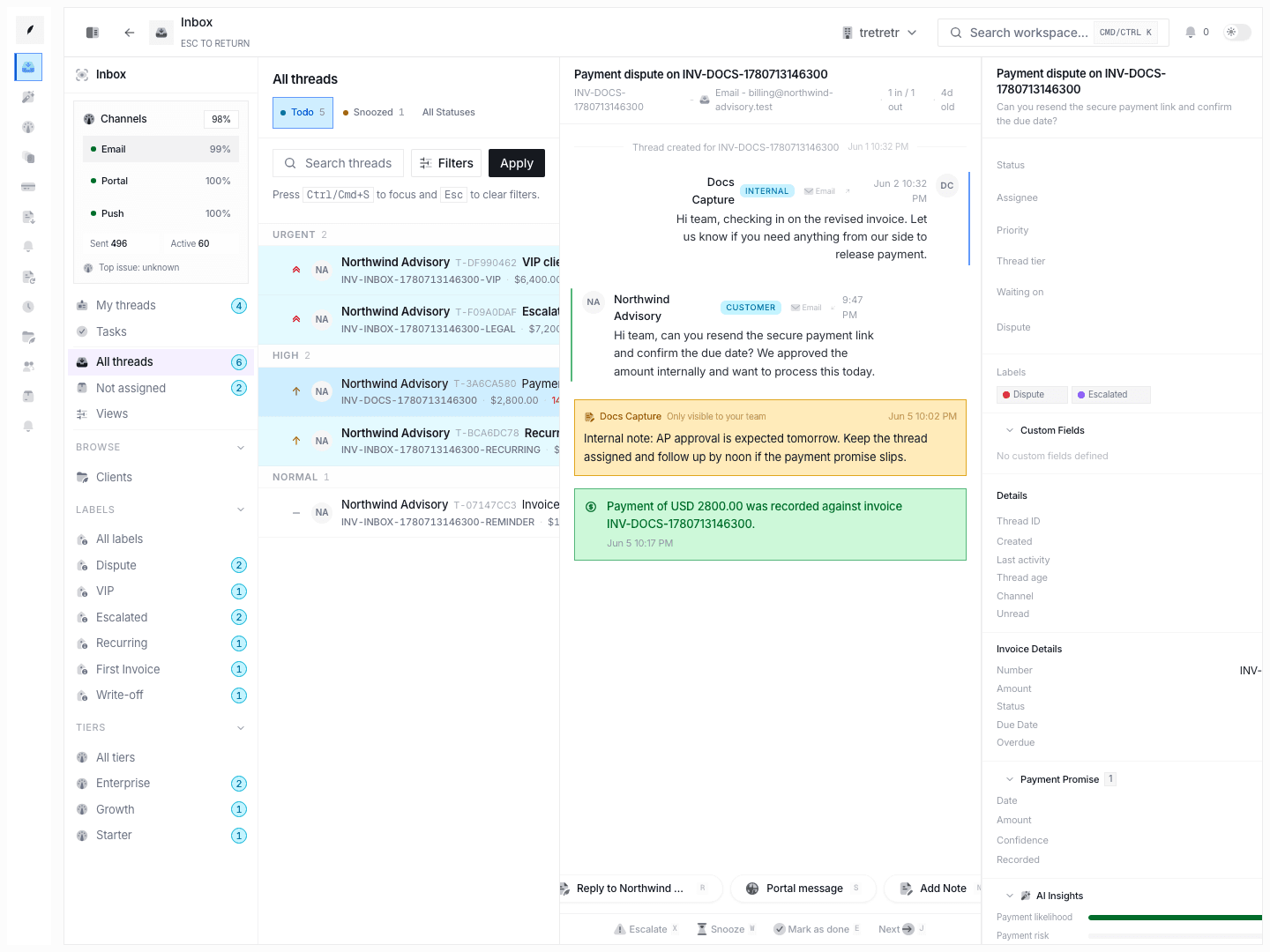
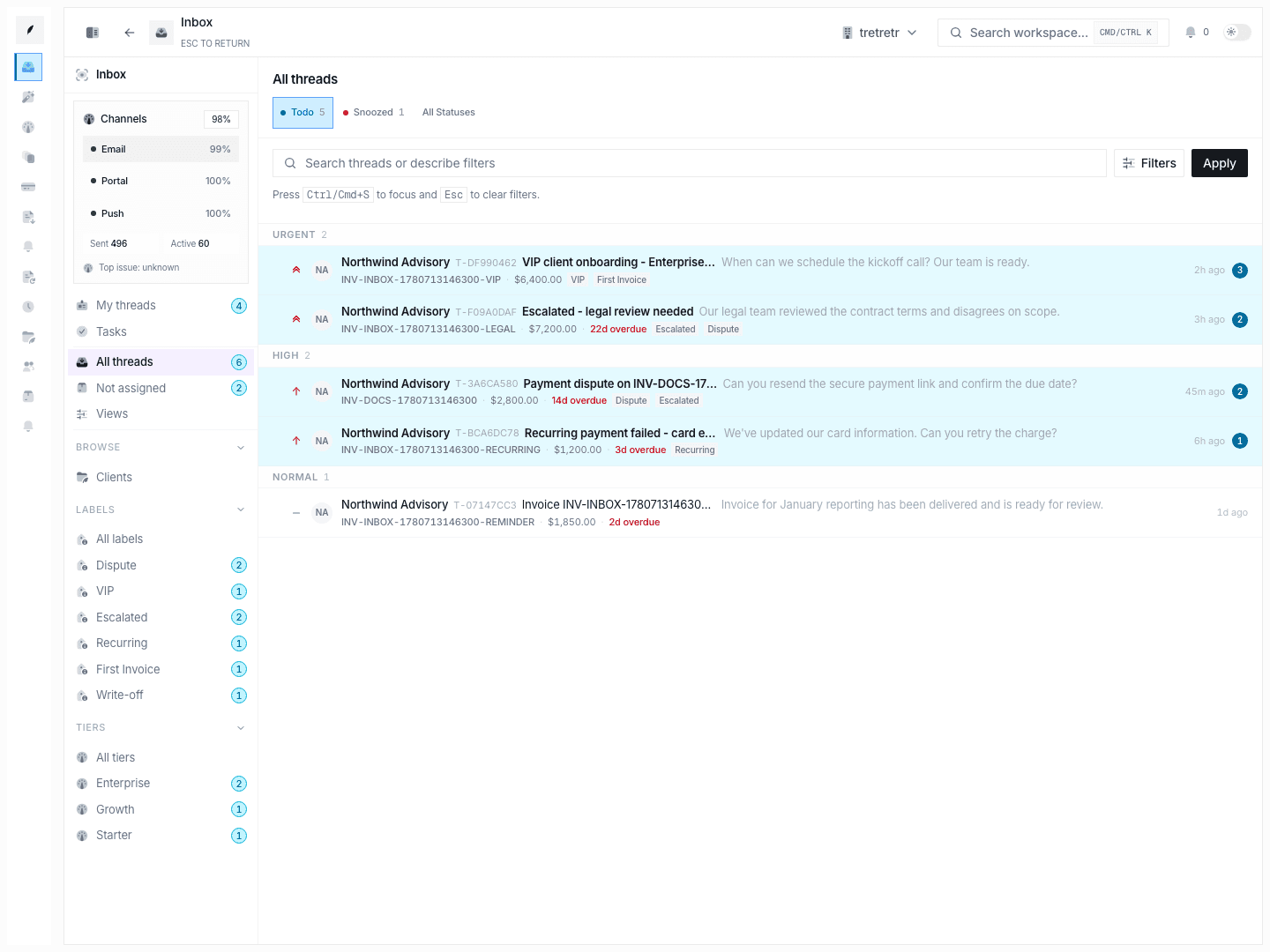
Typical Workflow
- Open the thread from a queue or browse view.
- Read the timeline and current metadata before responding.
- Use
Replyfor customer-facing communication orAdd Notefor internal context. - Update ownership, status, labels, promise data, and follow-ups before leaving.
- Resolve, snooze, or leave in
todobased on the real next action.
When the thread is maintained well, it shows the latest customer state and the team’s next move in one place.
What a thread contains
- invoice and client context
- event timeline for messages, notes, system activity, and payment events
- status, assignee, priority, tier, waiting-on, and dispute state
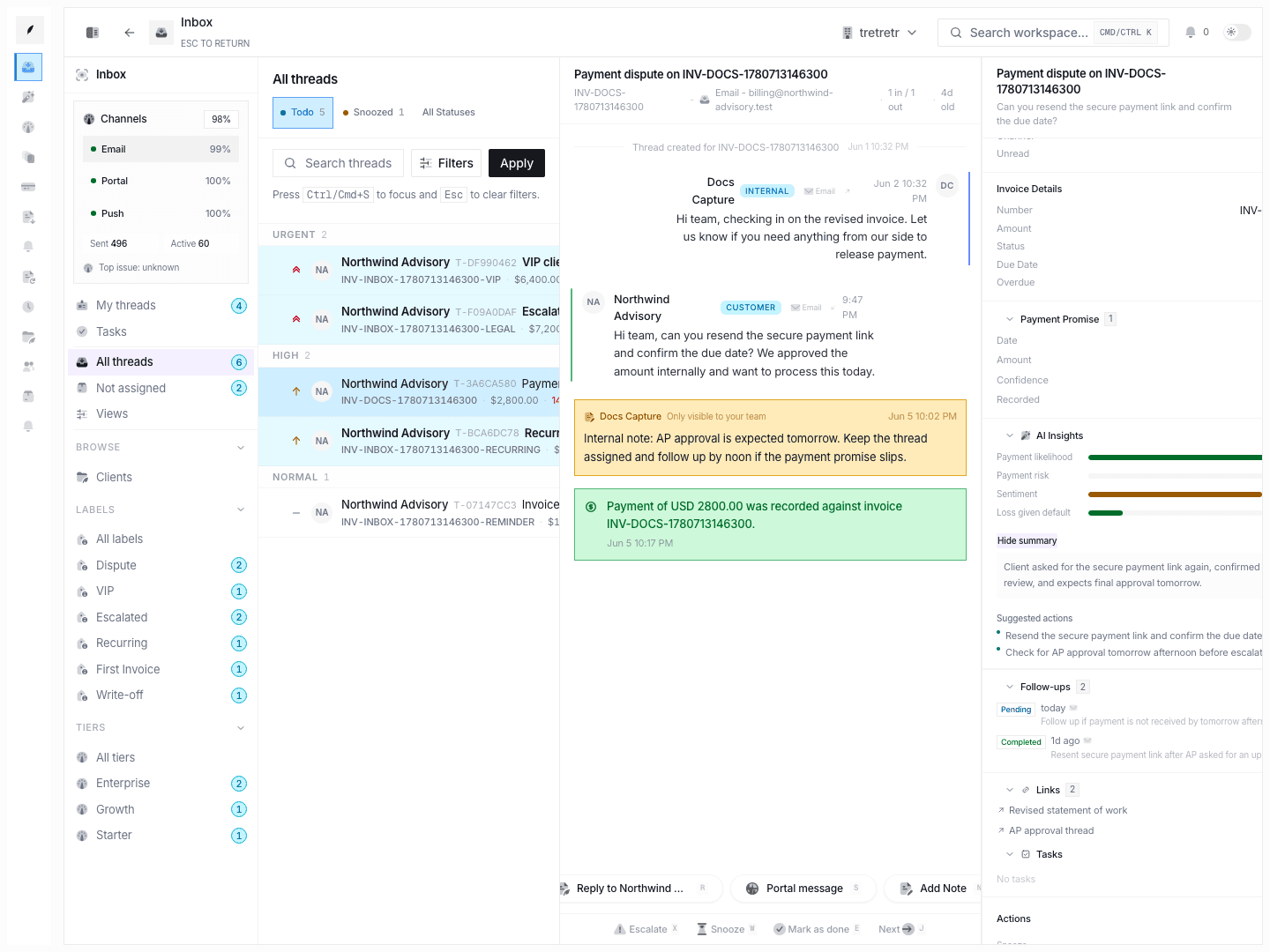
- follow-ups, links, tasks, and custom fields
- payment promise and AI insight fields when present
Timeline behavior
- opening the thread marks it read
- reply composer creates outbound message events
- note composer creates internal-only records
- system actions such as reminders and payment recording become timeline entries
- realtime updates arrive over event streaming with polling fallback
Status lifecycle
The core statuses are:
todosnoozeddone
Important behavior:
- snooze stores a future wake-up timestamp
- new inbound activity can reopen
snoozedordoneback totodo - state changes create transition records used for audit and activity review
Sidebar workflow controls
The sidebar is the main place to manage:
- assignee and priority
- tier creation or selection
- waiting-on and dispute status
- payment promise recording
- follow-up scheduling
- links and task attachment
- reminder send, payment record, lock, unlock, snooze, and auto-close
Permissions and state edge cases
Assign to medepends on the signed-in user context, but unassign is always explicit from the thread- creating labels or tiers changes future routing options, not just the current record
- lock and auto-close are workflow controls, so teams should use them only when everyone agrees on their effect
Troubleshooting
I sent a reply but the thread still looks incomplete
Check the timeline and the sidebar. The message event, promise data, and follow-up state are separate concerns and may all need an update.
The thread is snoozed but a teammate says it is active again
Look for a new inbound event. Customer activity can reopen the thread automatically.
I need to prove what changed and when
Use the thread activity and transition history in the sidebar rather than reconstructing state from message content alone.