Working the Clients Workspace
A step-by-step guide for creating client records, maintaining account context, and using enrichment before invoice and collections work.
The clients workspace keeps billing identity, ownership, invoice context, portal access, and enrichment in one maintained record before invoice and inbox work begin.
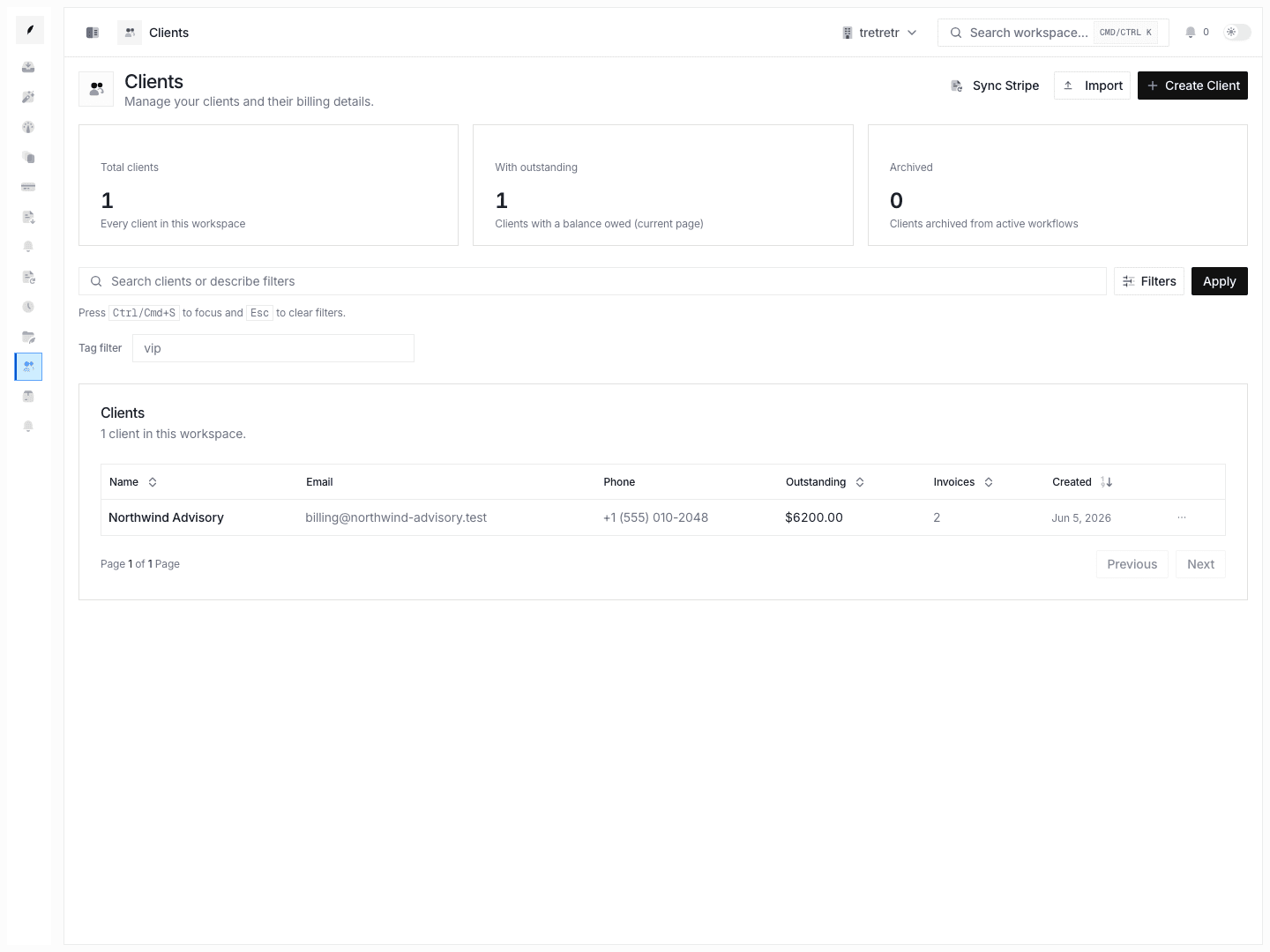
1. Create the base client record
Start from Clients and use Create Client to open the shared client sheet.
The creation flow is intentionally focused on the foundational fields:
- name
- phone
- address
- website
- tax ID
- notes
Make sure the record has the right name and website early if you expect enrichment to run. Those are the two required inputs for the current enrichment queue.
2. Narrow the directory before opening records
The list page is designed to help teams find the next client quickly.
Use the workspace controls to:
- search across name, email, phone, address, website, and notes
- filter to active, archived, or all clients
- limit by created-from and created-to dates
- describe filters in natural language through the search bar when you want the AI filter parser to build the query for you
Review the list columns before opening a record so you already know the account's balance and invoice volume.
3. Use the detail sheet for fast maintenance
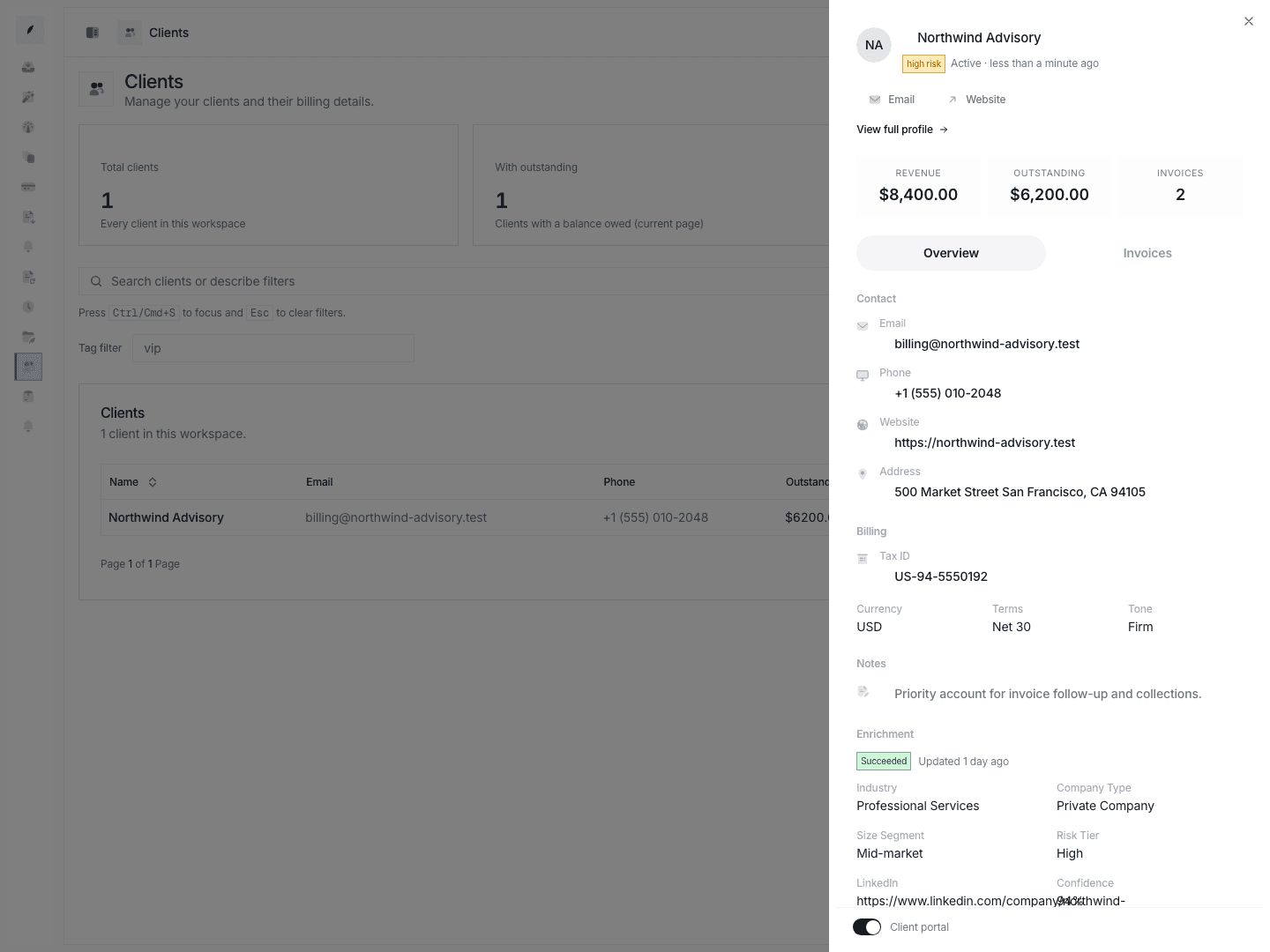
Clicking a row opens the client detail sheet. This is the fastest way to handle day-to-day record maintenance.
Use the Overview tab when you need to:
- correct email, phone, website, address, tax ID, or notes
- check revenue, outstanding balance, and invoice count
- confirm currency, terms, and reminder tone
- toggle portal access
- review enrichment status and summary fields
Use the Invoices tab when you want a quick read on recent invoice history or need to jump into invoice creation for the account.
4. Open the full profile when the account needs deeper work
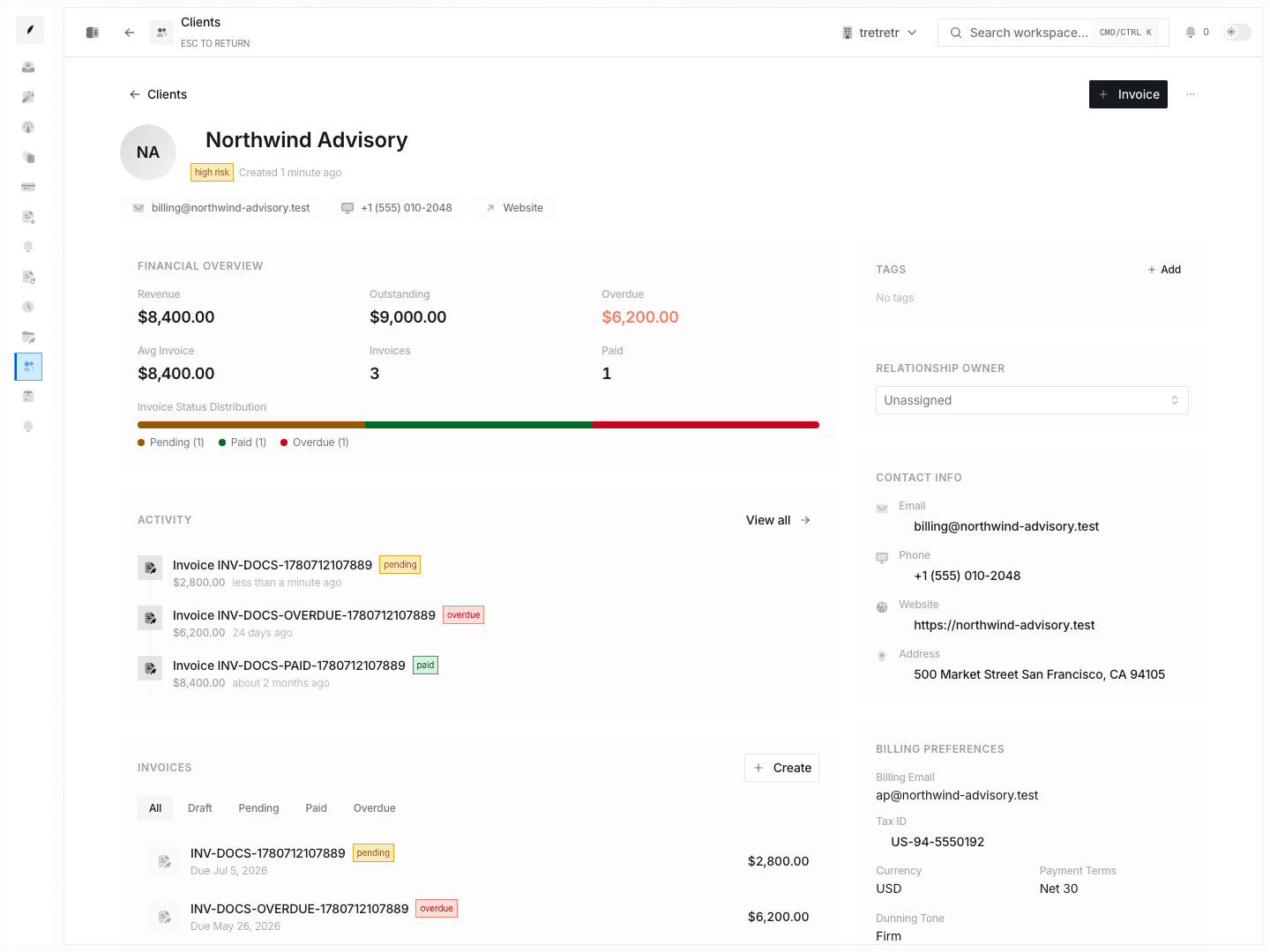
Choose View full profile from the detail sheet when the client needs more than a quick correction.
The full profile is the right place to:
- review live financial analytics and invoice status distribution
- inspect recent account activity and invoice history
- assign or change the relationship owner
- verify billing preferences and client contact groups
- review risk and credit context
- copy or regenerate the client portal link
- keep notes attached to the account
5. Review enrichment before major decisions
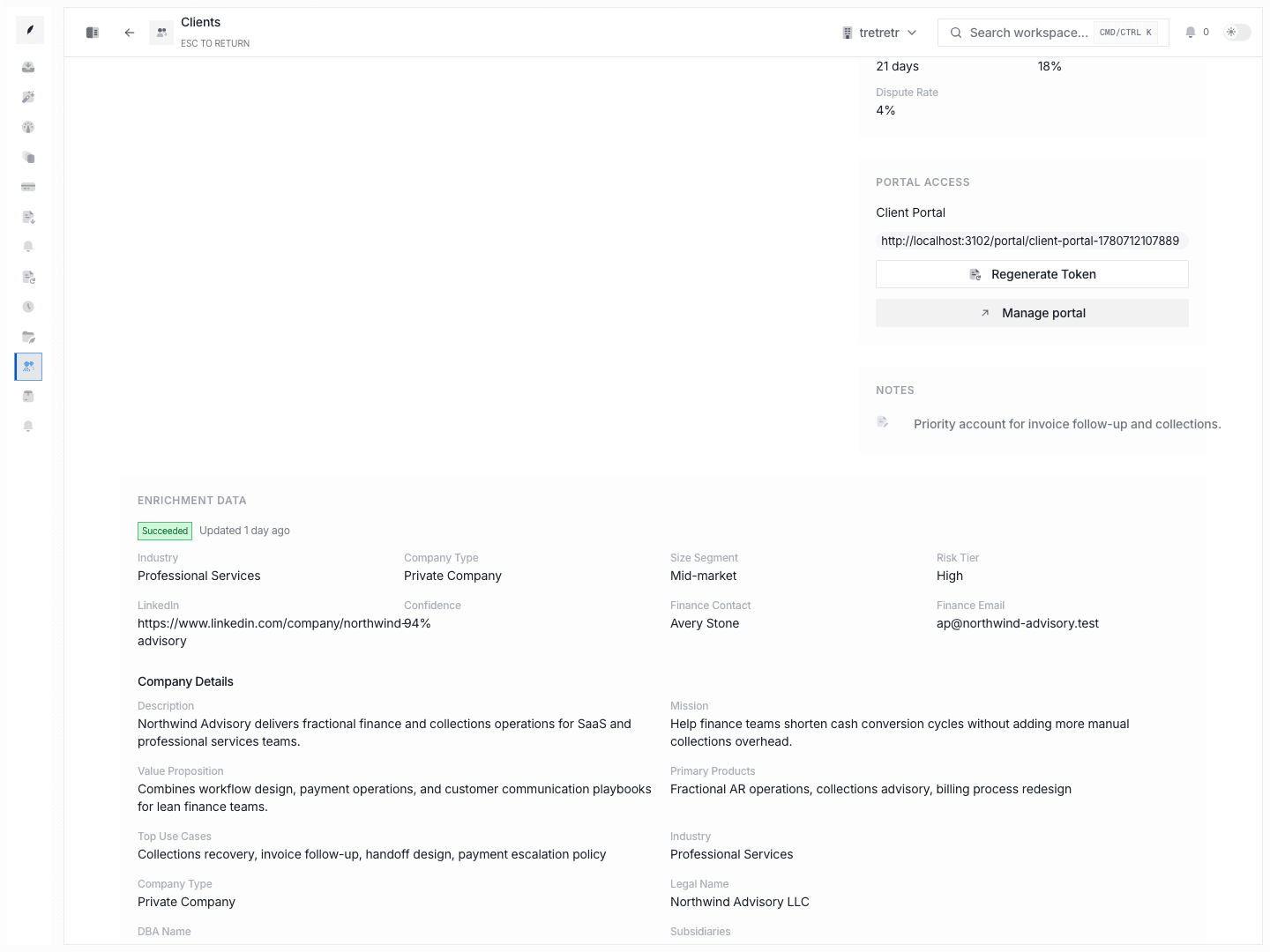
Use enrichment as a decision-support layer before you send the first invoice, expand billing scope, or escalate collections.
If the status is succeeded
Review:
- industry, company type, and size segment
- finance contact and finance contact email
- LinkedIn URL and other social or entity references
- procurement and invoice submission instructions
- risk signals, data quality, and source coverage
If the status is skipped
Check whether:
- the client is missing a website
- the workspace is not entitled to run enrichment yet
If the status is failed
Read the stored error, then decide whether the team should correct the record or wait for a later retry path.
6. Manage portal and ownership intentionally
Do not treat portal access or owner assignment as background metadata.
- assign the relationship owner so the account has a clear internal point of contact
- enable portal access only when the client should actively use it
- regenerate the portal token if a link should no longer be trusted
These controls live on the full profile because they affect how the team and the client work the account over time.
7. Archive instead of deleting when history still matters
Use Archive when the account should leave the active workflow but you still want to keep:
- invoice history
- notes
- ownership context
- portal state
- enrichment results
Use Delete only when the client record should truly be removed from the system.
8. Recommended daily loop
- Review the client list with search and filters before creating new invoices.
- Open the detail sheet to fix record-level issues immediately.
- Move to the full profile for owner, portal, billing, or risk work.
- Check enrichment before high-value billing or collections decisions.
- Archive stale records instead of deleting them when historical context still matters.