Account Area
Manage personal preferences, profile, schedule, notifications, appearance, and signature settings.
The account area is where each Corinthian user manages personal preferences, identity, schedule, notifications, appearance, and signatures. It controls how you appear to customers and teammates, how inbox workflows behave for you, and when notifications should reach you.
Who uses it
- every signed-in user
- teammates customizing inbox handling and notifications
- customer-facing teammates maintaining public identity and signature data
Navigation
The account sidebar includes these pages:
PreferencesProfileWorking hoursAppearance & soundsEmail signatureEmail notificationsSlack notifications availability
Related Pages
- Account Preferences
- Account Profile
- Account Working Hours
- Account Appearance and Sounds
- Account Email Signature
- Account Email Notifications
- Account Slack Notifications Availability
Typical Workflow
- Open Account → Preferences from the account section.
- Update one personal behavior at a time.
- Save and then verify the effect in the part of the app you use most, usually inbox, notifications, or outbound communication.
Changes here affect your personal workflow behavior without altering workspace-wide defaults for other teammates.
Preferences
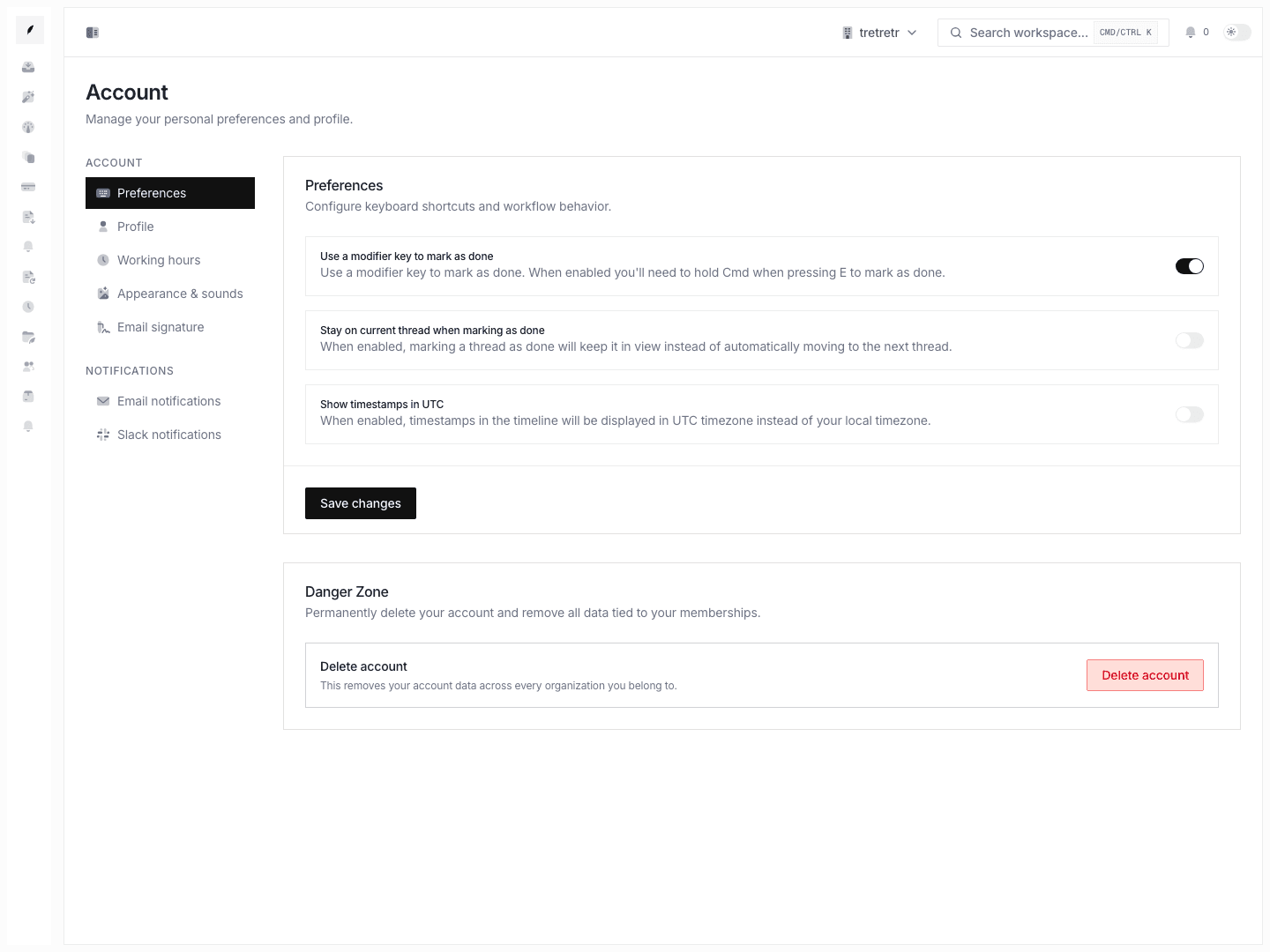
This page controls:
- modifier-key behavior for mark-as-done shortcuts
- whether
donekeeps you on the current thread or advances your workflow - whether timeline timestamps render in UTC instead of local time
- the account deletion flow with impact summary across memberships and organizations
Use this page when you want to speed up inbox work without changing any shared team defaults.
Profile
Profile
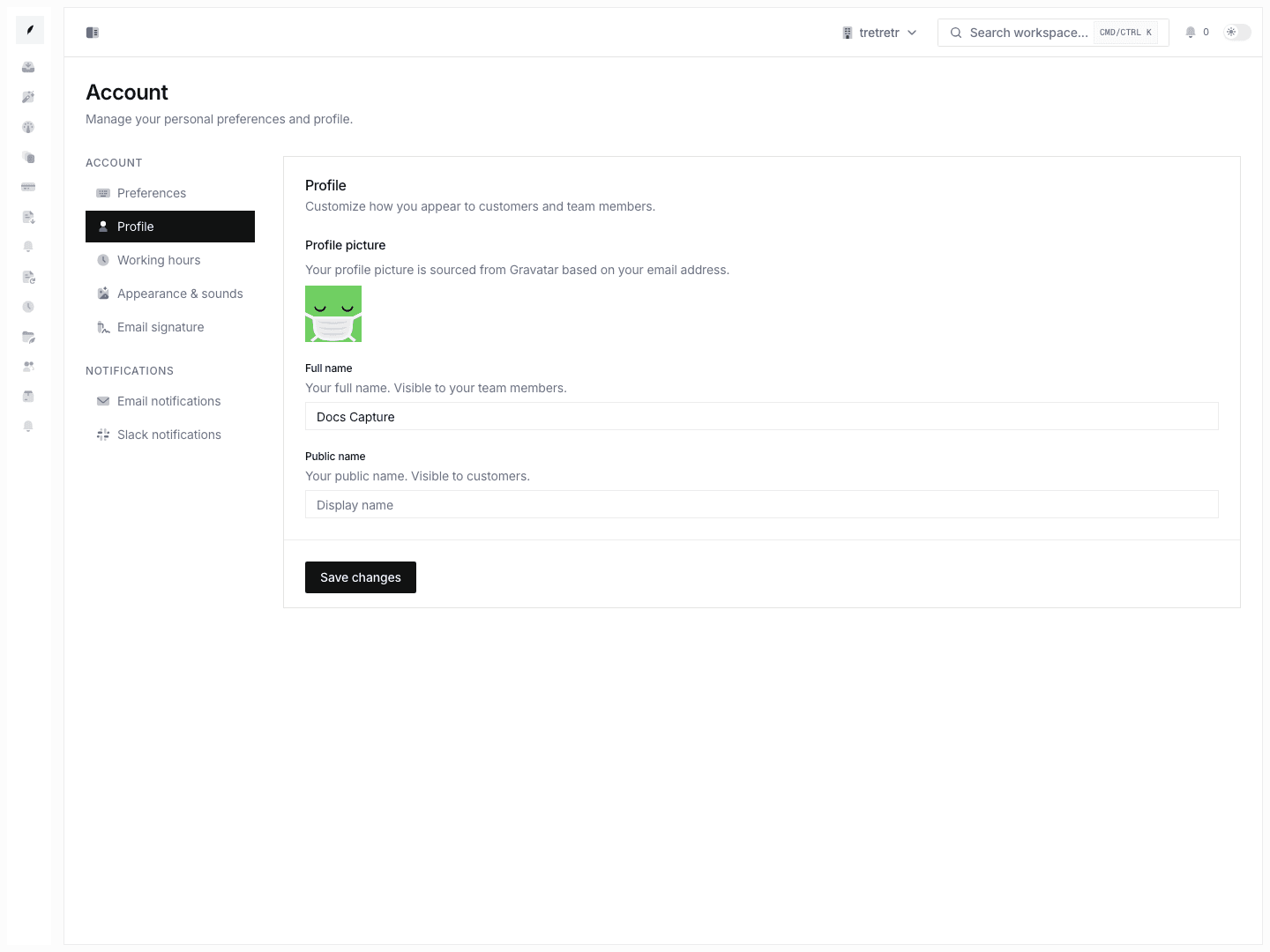
Use Account → Profile to manage:
- full internal name
- customer-facing public name
- profile avatar display sourced from your account email
This is the right place to align internal identity with what customers should see on replies and related communication.
Working hours
Working hours
Use Account → Working Hours to set:
- start and end time in
HH:MM - personal timezone
- working days
These values are described in-product as being used for notifications and assignment behavior, so they should match your usual schedule.
Appearance and Sounds
Appearance and sounds
Use Account → Appearance & Sounds to configure:
- theme:
system,light,dark - global sound-effects enablement
- mark-thread-done sound
- complete-task sound
- todo-notification sound
These are personal-only settings and do not change the workspace branding or invoice output.
Email signature
Email signature
Use Account → Email Signature to save a text signature or a drawn signature. This is your personal signature page, not the organization logo or brand configuration.
Notifications
Email notifications
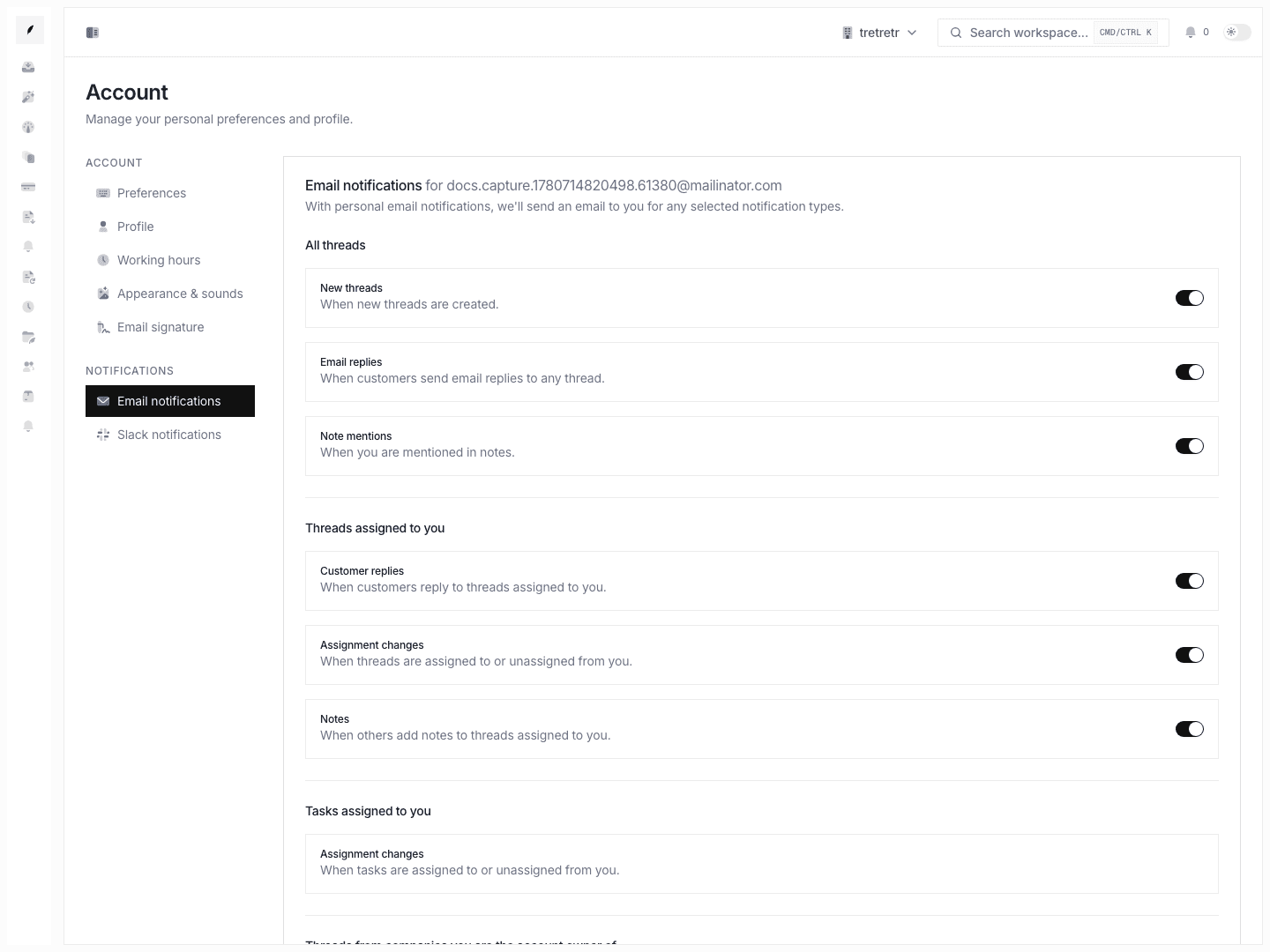
Use Account → Email Notifications to choose which inbox and task events should send email:
- new threads, replies, mentions
- assigned-reply and assignment-change events
- task assignment changes
- owned-company and team thread notifications
Slack notifications
Use Account → Slack Notifications to prepare personal Slack preferences. Slack delivery depends on the Slack integration becoming available.
Permission and state behavior
- account settings are personal and do not rewrite workspace-wide defaults for other users
- account deletion is destructive and affects all memberships tied to your user
- notification settings can be saved even when your workload changes later; revisit them as your role changes
- public name and signature settings matter most in customer-facing flows, while keyboard and timestamp settings matter most in the inbox
Troubleshooting
My inbox shortcuts do not behave the way I expect
Check Preferences first. Modifier-key and stay-on-thread behavior are both configurable there.
A customer sees the wrong sender identity
Review Profile and Email signature. If the issue is workspace sender or reply routing, use the workspace email settings instead of account settings.
Notifications are too noisy or too quiet
Recheck email notifications first for live delivery. Slack preferences are separate and depend on the Slack integration becoming available.
Working-hours changes do not affect other teammates
That is expected. Personal working hours are distinct from org-level business hours.