Account Appearance and Sounds
Control theme selection and personal workflow sounds.
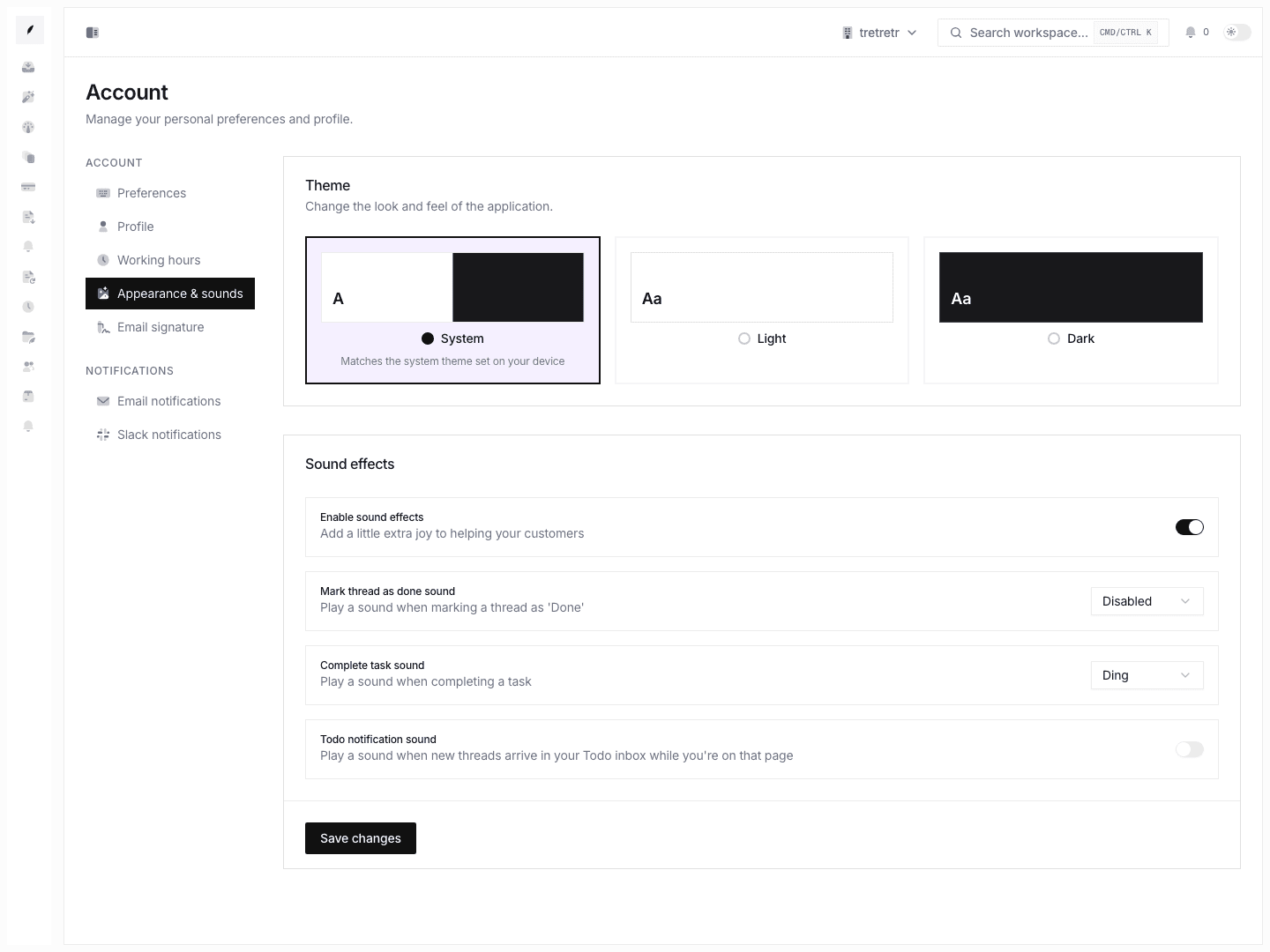
Account → Appearance & Sounds is where you customize Corinthian's theme and audible workflow feedback for your own account.
What You Can Configure
| Setting | Options |
|---|---|
| Theme | System, light, or dark |
| Sound effects | On or off |
| Mark thread done sound | Disabled, ding, or pop |
| Complete task sound | Disabled, ding, or pop |
| Todo notification sound | On or off |
These settings are personal. They do not change workspace branding or anyone else's account.
Theme Selection
Corinthian supports three theme modes:
| Mode | Behavior |
|---|---|
| System | Follows your operating system's light or dark preference. |
| Light | Always uses the light color scheme. |
| Dark | Always uses the dark color scheme. |
Sound Preferences
The master Sound effects switch enables or disables audible feedback. When it is off, individual sound selections do not play.
When sound effects are enabled, choose which sound should play for mark-done and task-completion events, and whether todo notifications should make a sound.
What Is Not Included
The current Appearance & Sounds form does not document display-density controls, global font-size sliders, or sidebar-width presets.
Troubleshooting
The app theme changed for me but not anyone else
That is expected. Personal theme and workspace branding are separate.
I do not hear a sound I expected
Check both the global sound-effects toggle and the specific event sound setting. Also confirm your browser and operating system allow audio playback.