Settings Roles
Create roles, edit permissions, and manage custom access controls for the workspace.
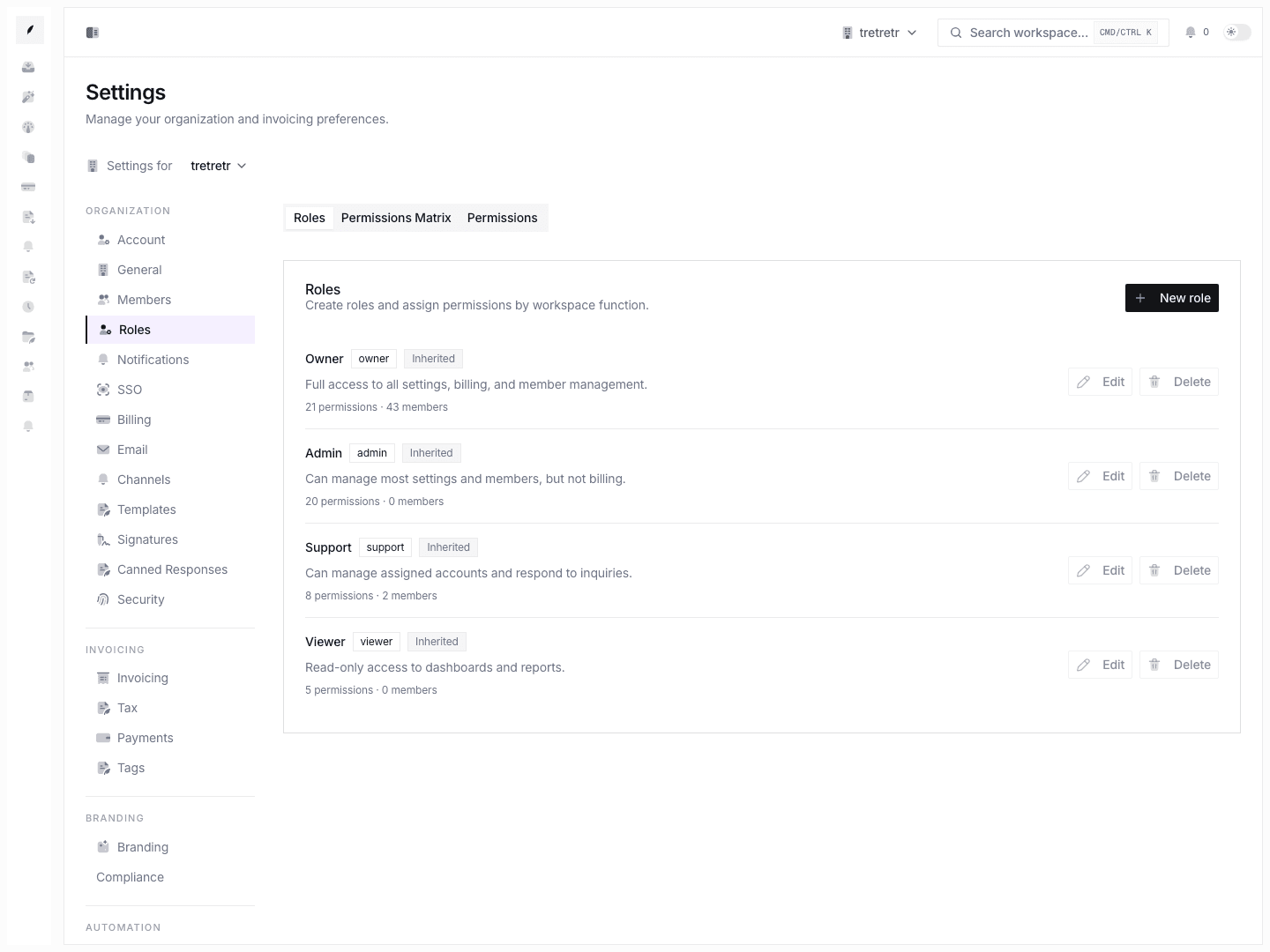
Settings → Roles is where you go when the built-in role model is not precise enough for how your team divides work.
Typical Workflow
- Open Settings → Roles.
- Review existing built-in and custom roles.
- Create a role or edit an existing role.
- Create permissions if the existing set is not sufficient.
After saving, access control matches the team’s real responsibilities instead of relying on overly broad defaults.
What you can do
- create roles
- edit role descriptions and permission sets
- review built-in versus custom roles
- create custom permissions
- delete non-built-in permissions
State and permission behavior
- built-in roles and built-in permissions are visible but handled more conservatively than custom ones
- permission changes affect who can perform relevant actions across the app, so they should be tested with real user roles after updates
Troubleshooting
A role exists, but a user still cannot do the task
Review the actual permission set on the role, not just the role name. The role card count is a summary, not the full effective access picture.
I cannot delete a permission
That usually means it is built-in and intentionally protected.