Collections Payment Plans
Split an overdue invoice into installments, govern approval, track the schedule, and respond when a plan changes.
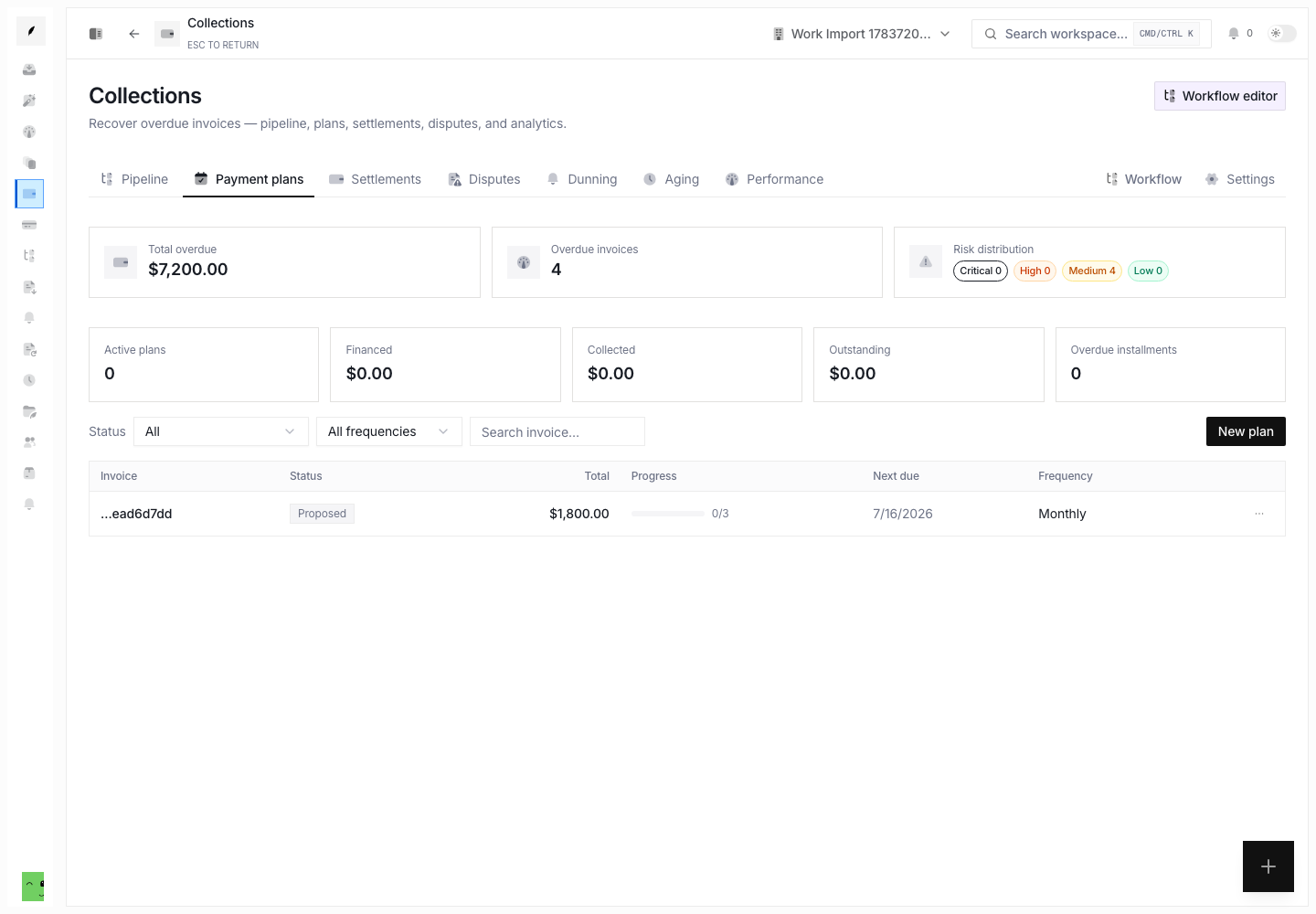
Payment plans turn one overdue balance into an explicit installment schedule. Conduitt keeps the plan, installments, invoice stage, and activity history together. The team can then manage the agreement and stop normal dunning against the same invoice.
Plan Statuses
| Status | What it means |
|---|---|
| Proposed | Conduitt created the schedule with approval needed. The plan waits for review. |
| Active | The plan has approval. The team can work the installments. |
| Completed | The schedule is complete. |
| Defaulted | The client no longer meets the agreement. The invoice can return to normal collections. |
| Cancelled | The team ended the plan before completion. |
When you create a plan, Conduitt moves the invoice into the Payment plan collection stage. This stops the normal collection cadence. The cadence does not compete with the installment agreement. A defaulted or cancelled plan restores the invoice to the correct standard collection stage.
Create a Plan
Open Collections → Payment plans, then select New plan. Choose:
- an overdue invoice
- 2 to 24 installments
- weekly, biweekly, or monthly frequency
- the first installment date
- an optional terms note
- whether the plan needs approval
When the plan needs approval, it starts as Proposed. If not, it starts as Active.
Review the Schedule
Select a plan row to open its detail sheet. Use:
- Overview for the agreement and current progress
- Schedule for installment amounts, due dates, and statuses
- Activity for the recorded plan history
The page summary separates active plan value, collected value, unpaid value, and overdue installments. Proposed plans appear in the table. They do not count as active until someone approves them.
Work Installments
For an active plan, installment actions include:
- record a full payment
- record a partial payment
- waive an installment
- reschedule its due date
- mark it overdue
- send or log an installment reminder
Record the action that happened. Do not mark an installment paid from only a promise or an expected transfer.
Change a Plan
Use the plan actions menu to approve a proposed plan, edit terms, or extend the schedule. You can also mark an active plan defaulted, or cancel an active or proposed plan.
Default and cancellation have large effects. They end the installment path and return the invoice to standard collections. Record a clear reason so the timeline explains why the agreement ended.
Related Pages
Collections Measurement
Check dunning decisions, promises, holdout lift, stage recovery forecasts, experiments, aging, and operator performance.
Collections Policy and Workflow
Configure stage progression, activity pauses, write-off approval, late fees, credit holds, and the collections workflow graph.