Collections Settlements
Create reduced-payoff offers, control approval and delivery, track negotiation, and complete accepted settlements.
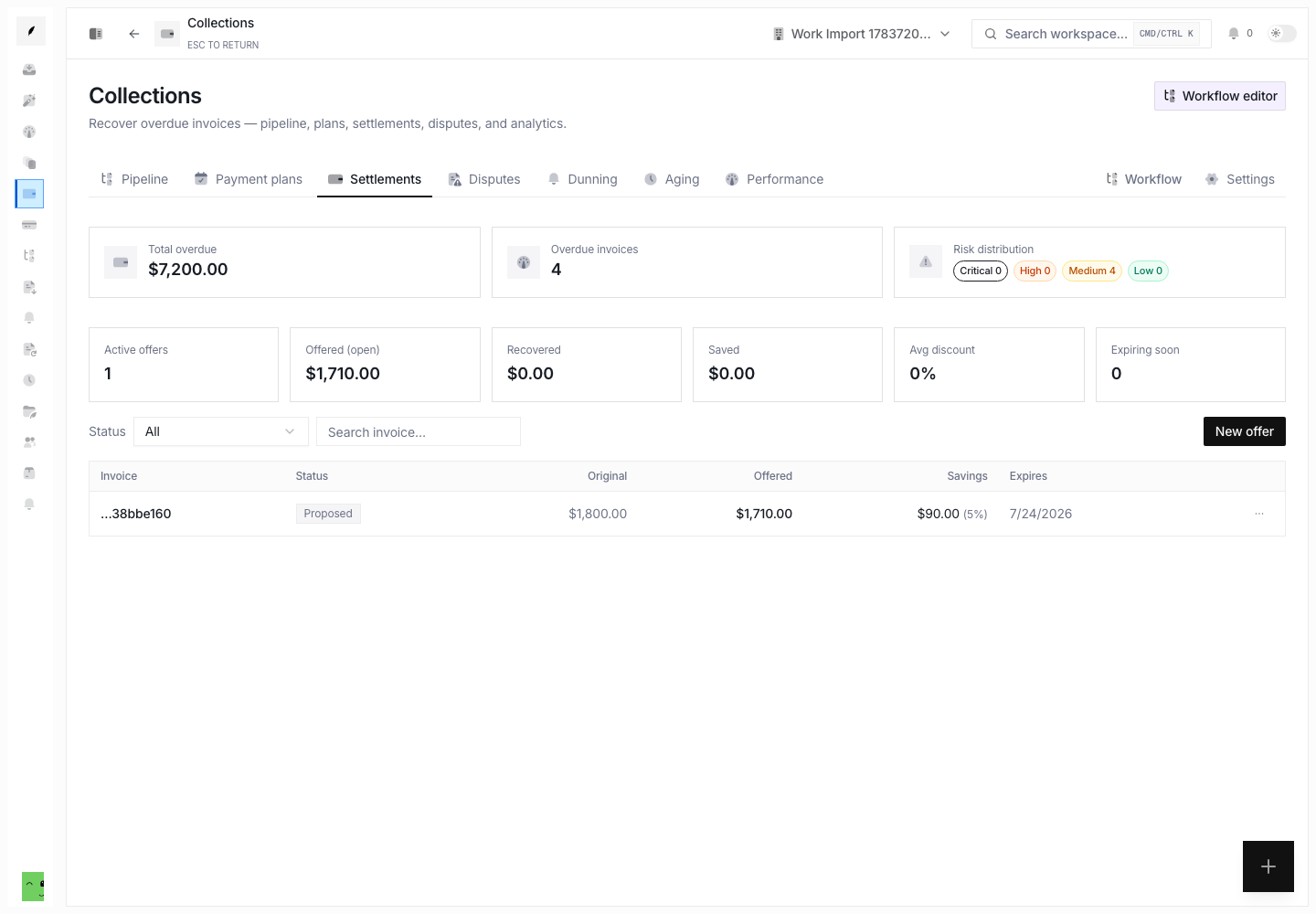
Settlements give a governed way to offer a reduced payoff on an overdue invoice. Each offer keeps the original amount, offered amount, savings, expiry, delivery path, approval state, and activity history together.
Offer Lifecycle
| Status | What it means |
|---|---|
| Proposed | The offer needs approval before Conduitt can send it. |
| Sent | The offer is available to the client through the selected delivery path. |
| Countered | A different payoff amount is under consideration. |
| Accepted | The client accepted the terms. Someone must still record the payment. |
| Completed | Conduitt recorded the payment, applied the discount, and settled the invoice. |
| Rejected | The client declined the offer. |
| Expired | The deadline passed or a teammate ended the offer. |
Create an Offer
Open Collections → Settlements, then select New offer. Choose an overdue invoice and enter:
- an offered amount no greater than the outstanding invoice amount
- an expiry from 1 to 90 days
- Portal, Email, or Manual delivery
- an optional terms note for the client
Organization rules limit the discount. They also set whether an offer starts as Proposed or Sent. Conduitt does not deliver a proposed offer until an authorized reviewer selects Approve & send.
Review Value and Urgency
The settlements page shows:
- original and offered amounts
- absolute and percentage savings
- current status
- expiry date and urgency
- open offered value, recovered value, savings, average discount, and offers that expire soon
Use these fields together. Check a large discount, a short expiry, or an offer that waits for approval before routine follow-up continues.
Manage a Live Offer
Available actions depend on status:
- Approve & send a proposed offer and choose its delivery path
- Resend a sent offer
- Accept, Counter, or Reject an open offer
- Extend expiry or deliberately Expire an open offer
- Complete an accepted offer after the payment exists
Only mark an offer accepted when the client agrees to the displayed terms. Completion needs the linked payment ID. It records the payment, applies the discount as an adjustment, and settles the invoice.
Delivery Paths
- Portal makes the offer available through the client portal state.
- Email hands the approved offer to the outbound delivery workflow.
- Manual records the offer while your team delivers it outside Conduitt.
When you choose Manual, Conduitt does not send a message for you.
Related Pages
Collections Policy and Workflow
Configure stage progression, activity pauses, write-off approval, late fees, credit holds, and the collections workflow graph.
Collections Workspace
Prioritize overdue invoices, work the recovery queue, and manage plans, settlements, disputes, aging, and collection policy.