Collections Workspace
Prioritize overdue invoices, work the recovery queue, and manage plans, settlements, disputes, aging, and collection policy.
Collections is the workspace for overdue receivables. It combines the amount and age of an invoice with its risk, collection stage, and owner. It also shows the promise, the dispute, and the next action. The team works toward resolution from one place.
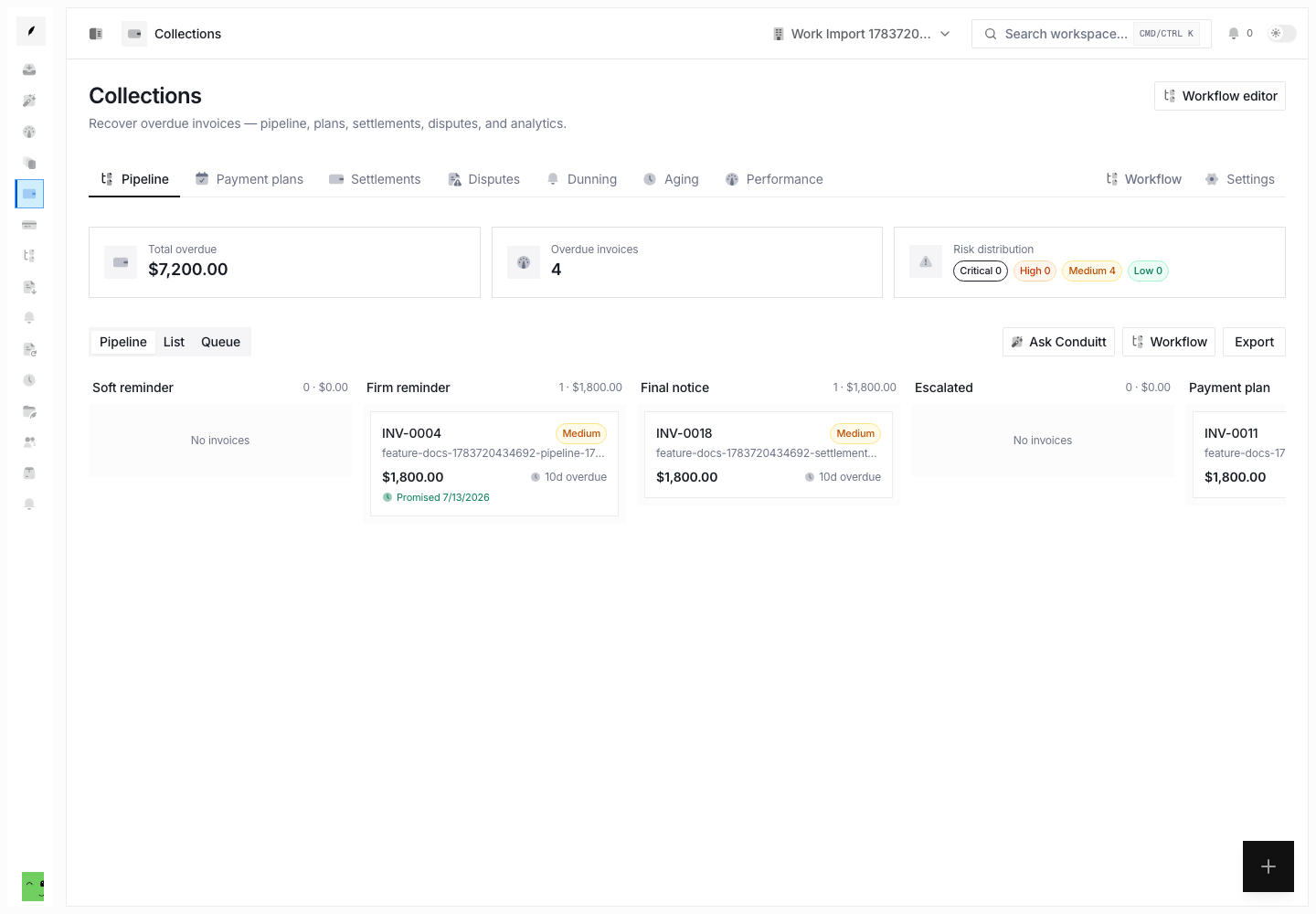
What It Helps You Do
- see overdue exposure by collection stage and risk
- work invoices as a pipeline, table, or task queue
- assign an owner and record the next collection action
- create payment plans, settlement offers, and disputes
- record or clear a payment promise
- place or release a client credit hold
- write off an uncollectible invoice and reverse the write-off when correct
- check aging, dunning decisions, and collection performance
- export the current work view
Collections Pages
| Page | Use it for |
|---|---|
| Pipeline | Move between stage, list, and queue views of overdue invoices. |
| Payment plans | Check installment plans and their current status. |
| Settlements | Track offers, approvals, acceptance, expiry, and completion. |
| Disputes | Check open collection disputes and their resolution state. |
| Dunning | Examine approved, skipped, or deferred follow-up decisions and available outcome analysis. |
| Aging | Break outstanding receivables into age buckets. |
| Performance | Check recovery and operator performance for a selected period. |
The Collections header keeps the same navigation and overdue summary visible as you move between these pages.
Work the Pipeline
The default page offers three working modes:
- Pipeline groups invoices by collection stage for stage-oriented review.
- List supports row-level comparison and invoice actions.
- Queue focuses on explicit collection tasks, due state, priority, and ownership.
Start with the risk-sorted view. Then open an invoice and read the details before you change state. The detail sheet is the shared entry point for plan, settlement, dispute, stage, assignment, promise, hold, and write-off actions.
Use Plans, Settlements, and Disputes With Care
Payment plans
Create a plan when the client and your team agree to split the outstanding balance into installments. Choose the number of installments, the frequency, the start date, and the optional terms. Also choose if the plan needs approval. An active plan pauses normal dunning for the invoice.
Settlements
Create a settlement when the organization agrees to accept less than the outstanding balance under explicit terms. Read the original amount, offered amount, discount, expiry, approval state, and delivery path before you send it.
Disputes
Open a collection dispute when the client challenges the amount, duplicate billing, delivery, quality, authorization, or another part of the invoice. Record the reason and the description. The team and the automation then have a permanent reason to pause normal collection activity.
Change Stage With Context
Manual stages include current, soft reminder, firm reminder, final notice, and escalated. Every manual stage change needs a reason.
Use a stage change to show the real collection posture, not the age of the invoice. A dispute, an active promise, a plan, or a client response can justify the current stage. This applies even when the invoice is old.
Collection Policy and Workflow
Use Collections → Settings to keep the organization collection policy. Use Workflow editor to define and preview the larger collection decision flow before you turn it on.
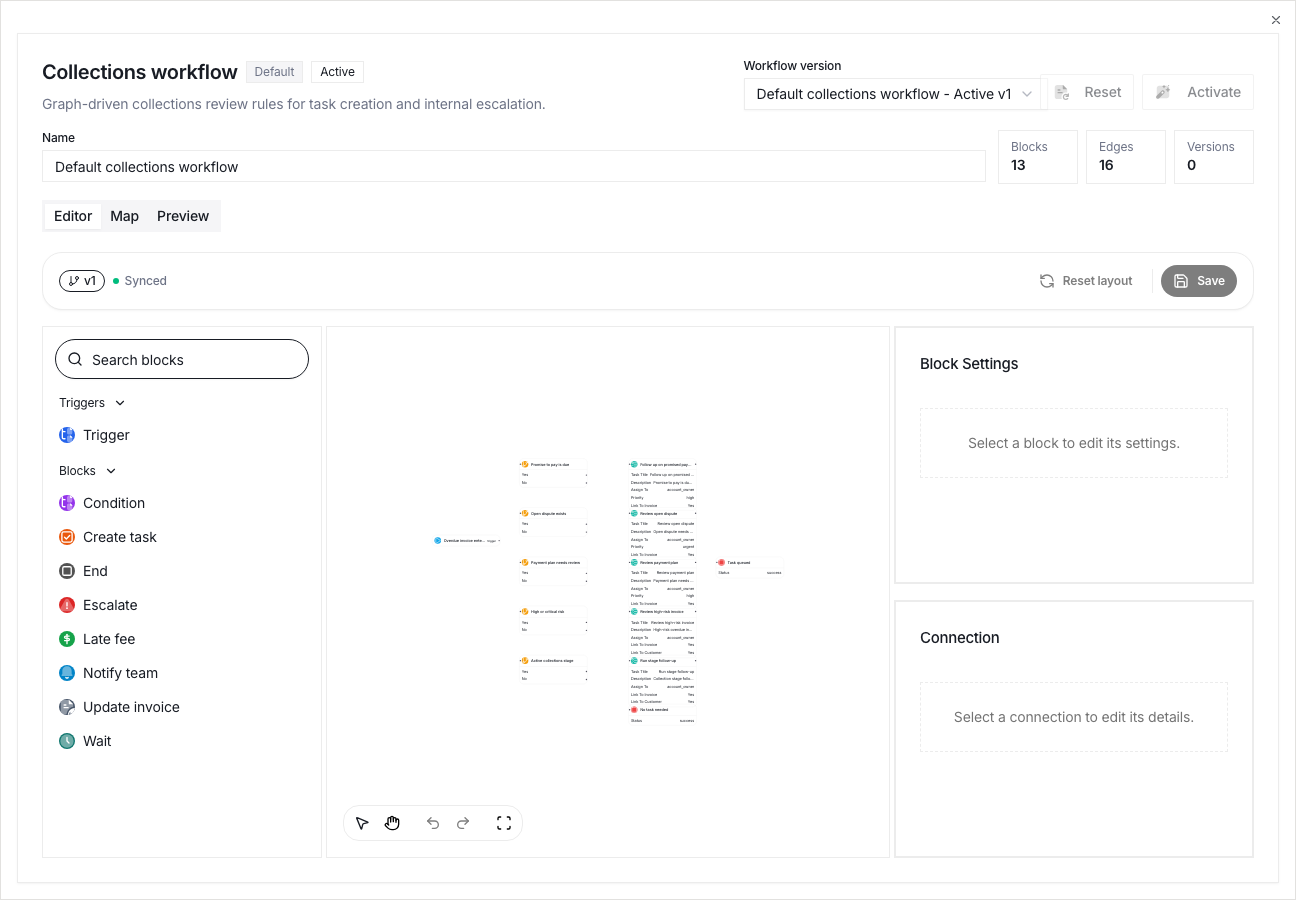
The visual workflow and the linear follow-up-sequence editor serve different purposes:
- the Collections workflow shows the larger collection policy and the branch decisions
- a follow-up sequence shows an ordered communication and task cadence for one invoice thread
Preview a workflow against the example receivable before you turn it on. Keep draft and active versions distinct. A draft change then does not change live collection behavior.
Aging and Performance
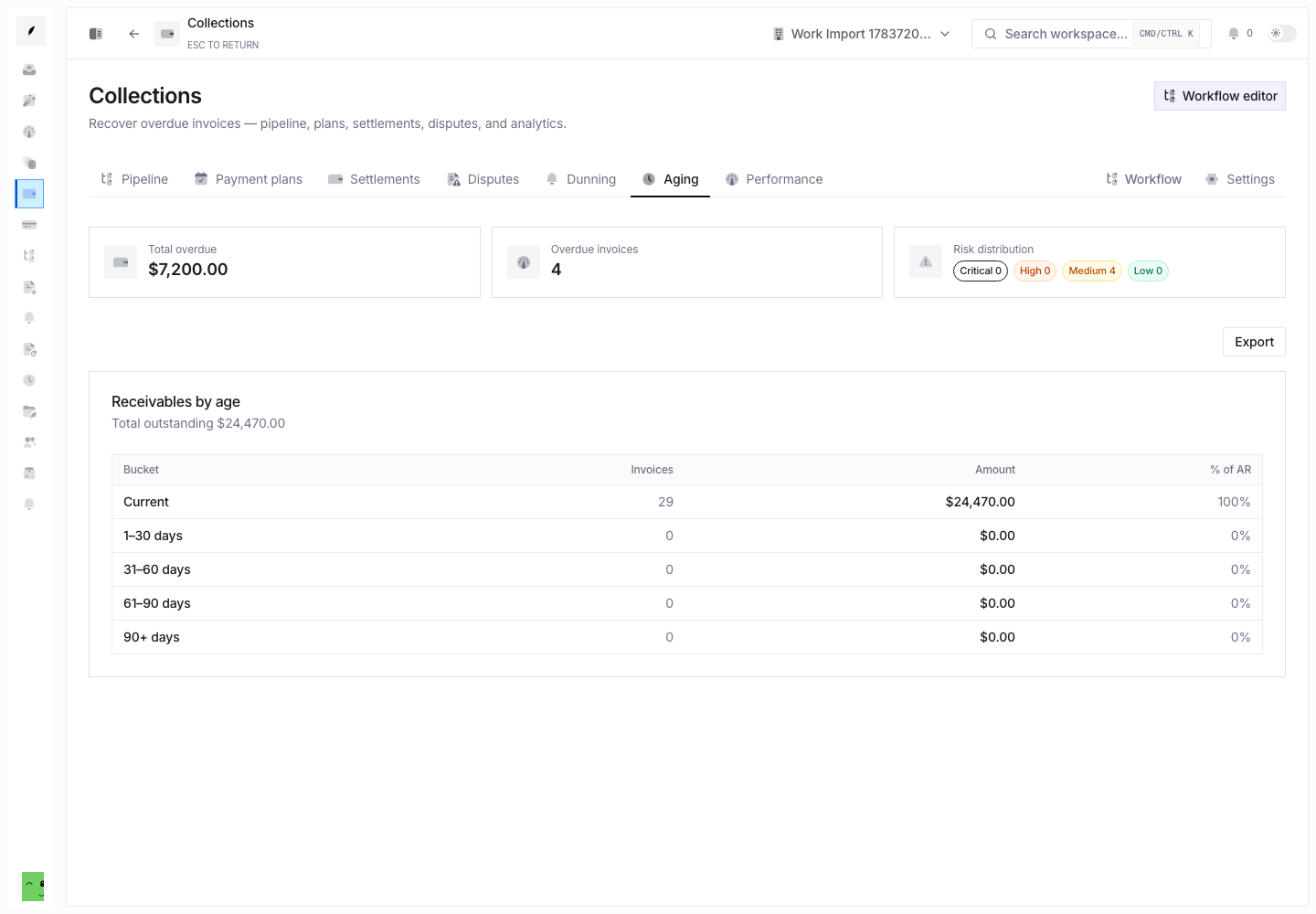
Use Collections → Aging to find the open amount in each age bucket. Use Collections → Performance to check recovery and operator results over time.
The aging view explains exposure. The pipeline and the queue explain what the team must work. Use both during a collection review.
Operational Checks
Before you complete a collection action, confirm:
- the invoice still has an outstanding balance
- the client did not pay, dispute, or make a current promise elsewhere
- you recorded the owner and the reason
- a plan, settlement, hold, or write-off matches organization policy
- the next action will not conflict with an active sequence or client conversation