Collections Policy and Workflow
Configure stage progression, activity pauses, write-off approval, late fees, credit holds, and the collections workflow graph.
Collections policy controls when overdue invoices advance and which safeguards apply around consequential actions. Use Settings → Collections for organization-wide thresholds and Workflow editor for the larger task decision graph.
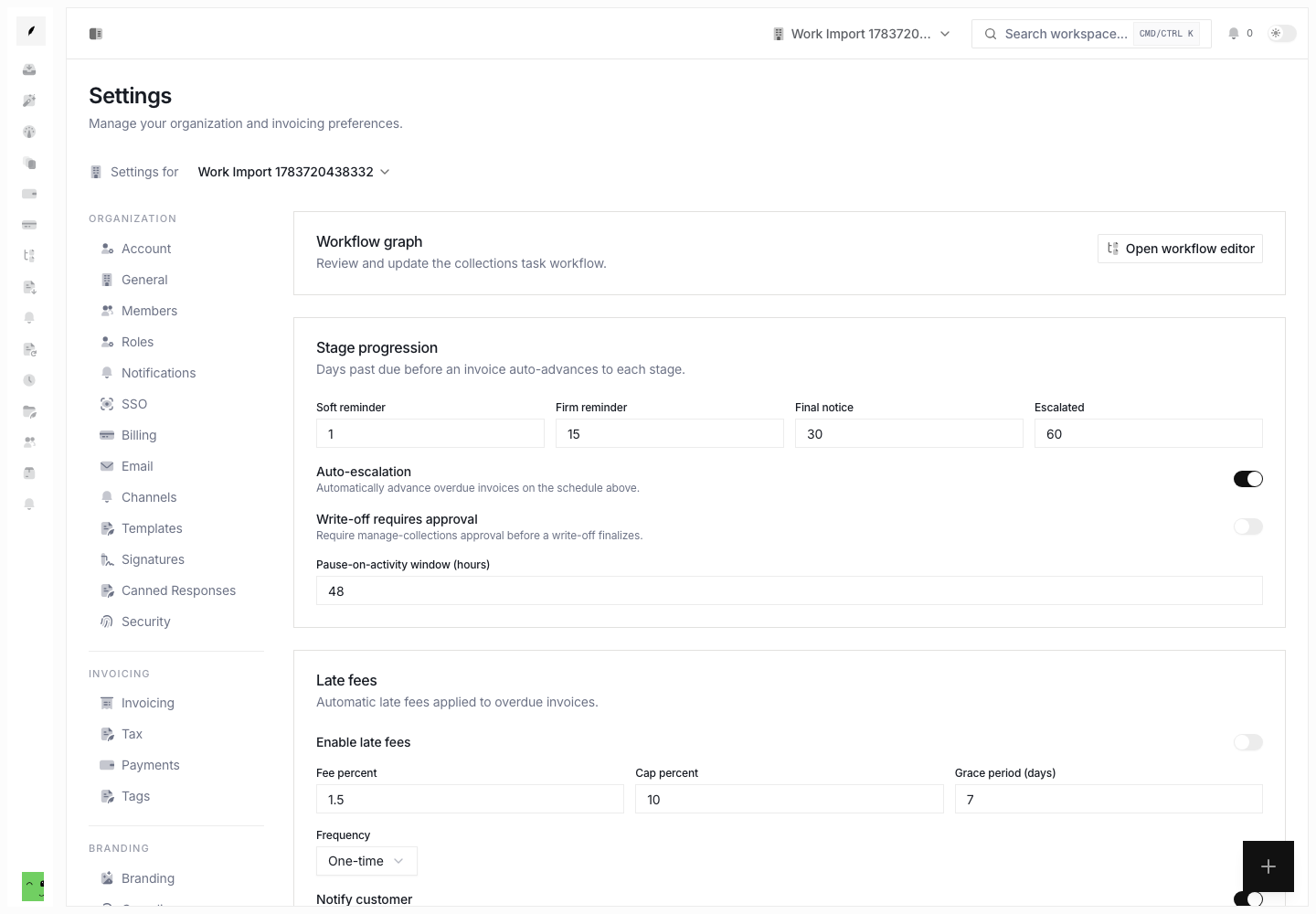
Stage Progression
Set the days past due for:
- soft reminder
- firm reminder
- final notice
- escalation
Turn on Auto-escalation when overdue invoices must advance on that schedule. Leave it off when stage movement must remain manual.
Thresholds show the default path. Active disputes, plans, promises, recent client activity, and other collection state can redirect or pause work.
Activity Pause
Pause-on-activity window (hours) defines how long recent activity must suppress automatic progression. Use a window long enough for the team to read and act on a client response before Conduitt evaluates another collection step.
Write-Off Approval
Turn on Write-off requires approval when a write-off must pass through a Collections manager before it finalizes. This control governs write-off completion. It does not replace the need to record a reason.
Late Fees
Late-fee policy includes:
- turn automatic fees on or off
- fee percentage
- cumulative cap percentage
- grace period
- one-time or monthly frequency
- client notification
Check local needs and client terms before you turn on fees. Conduitt applies the saved policy. It does not decide whether the law permits a fee for a particular agreement.
Automatic Credit Holds
Credit-hold policy can place risky clients on hold based on:
- the number of overdue invoices
- the selected client risk tier
A credit hold stops more exposure. It does not resolve the overdue invoices already in collections.
Workflow Graph
Select Open workflow editor to check the collections task workflow, edit a draft, and preview decisions before activation.
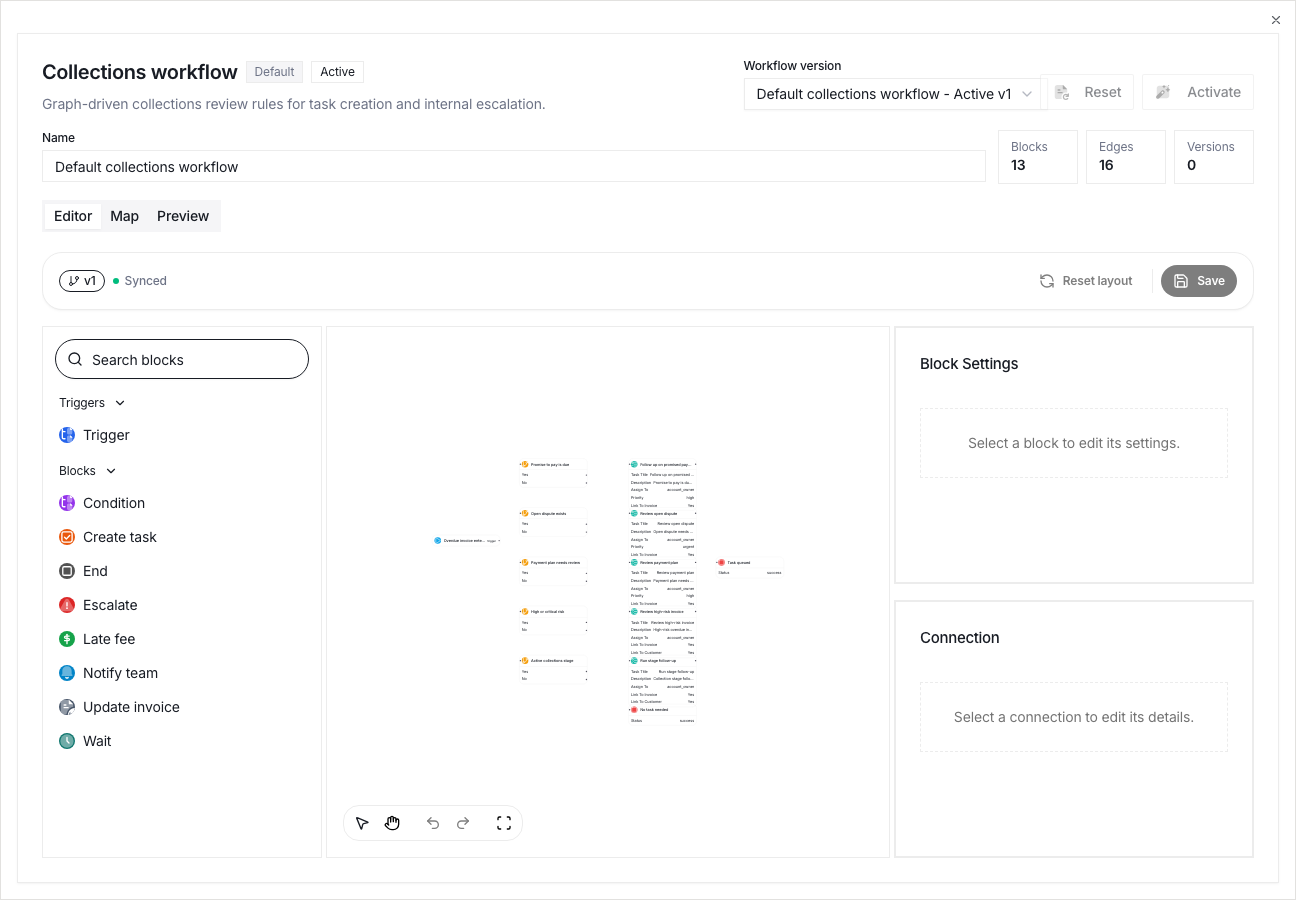
Keep draft and active versions distinct. Preview changes against the example receivable before activation so task creation and internal escalation follow the intended path.
Save and Review
Select Save changes after you update policy fields. Revisit the settings after the next collections review. Compare actual stage movement, suppressions, fees, holds, and write-offs with the intended policy.