Move invoicesfrom sent to paid
Every follow-up, reply, promise, dispute, owner, and payment event stays attached to the invoice record.
Everything after send. One AR layer.
Conduitt breaks accounts receivable into the small, essential jobs that turn an invoice record into collected cash.
Reminder sequences
Move from polite nudge to firm escalation without rewriting every email by hand.
Receivables inbox
One queue for overdue invoices, replies, owners, and the next action.
Dispute memory
Promises, blockers, split-payment requests, and internal notes stay attached.
Cash application
Track partial payments and credits without reconciling from a side spreadsheet.
Aging focus
See which accounts need attention before they become month-end surprises.
API and exports
Push documented invoice context into the systems your finance team already uses.
Shared
Clear
One
Less
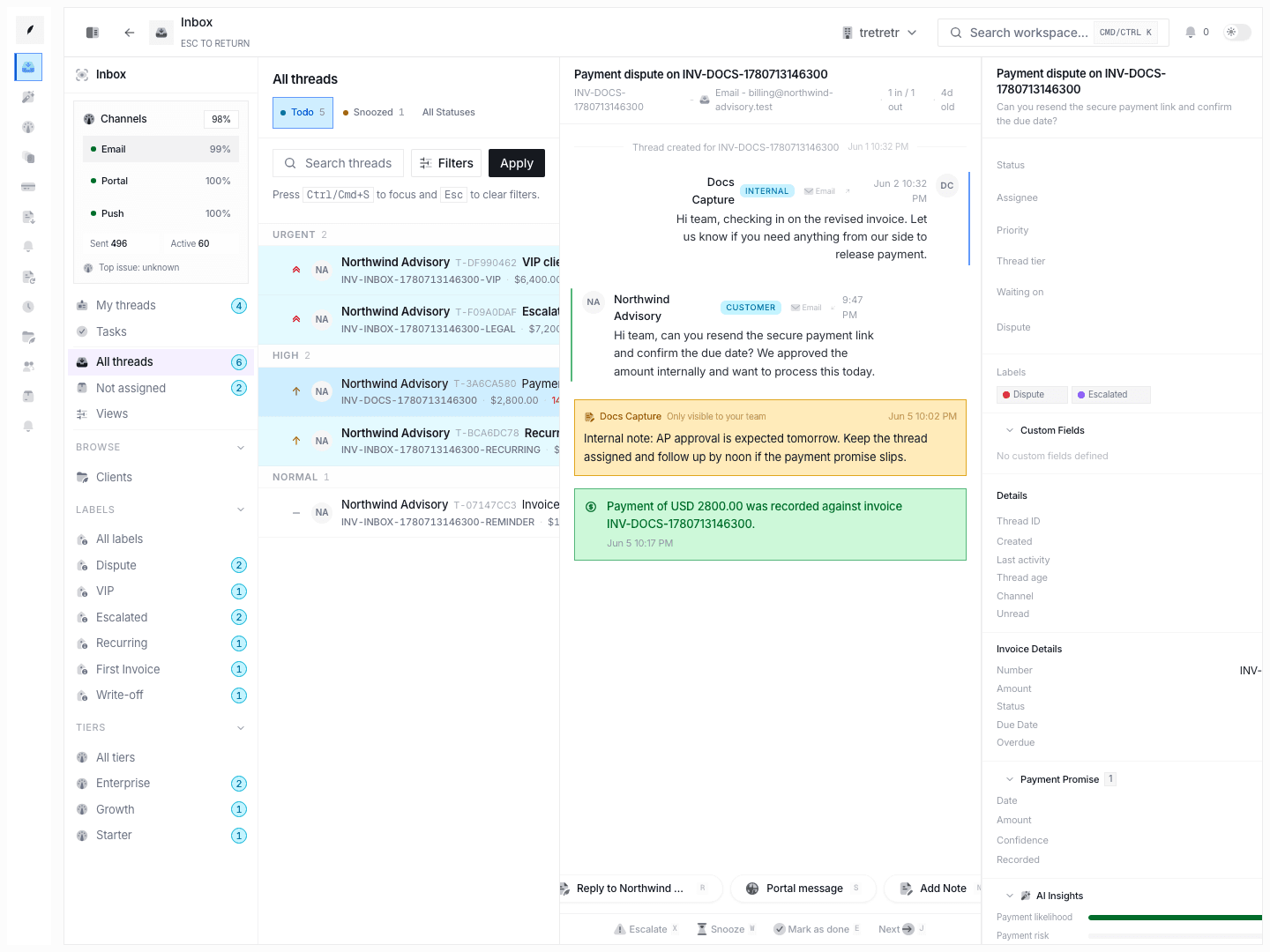
Answer client questions without hunting for context
Every reply, delivery event, reminder, internal note, and payment event lives on the invoice itself. When a client calls about an overdue balance, your team has the full story without searching Gmail, Slack, or a spreadsheet.
- 01Threaded timeline replaces scattered email chains
- 02Delivery, open, and reply tracking in one view
- 03Internal notes stay private but attached to the invoice
- 04New team members catch up by reading the thread, not asking colleagues
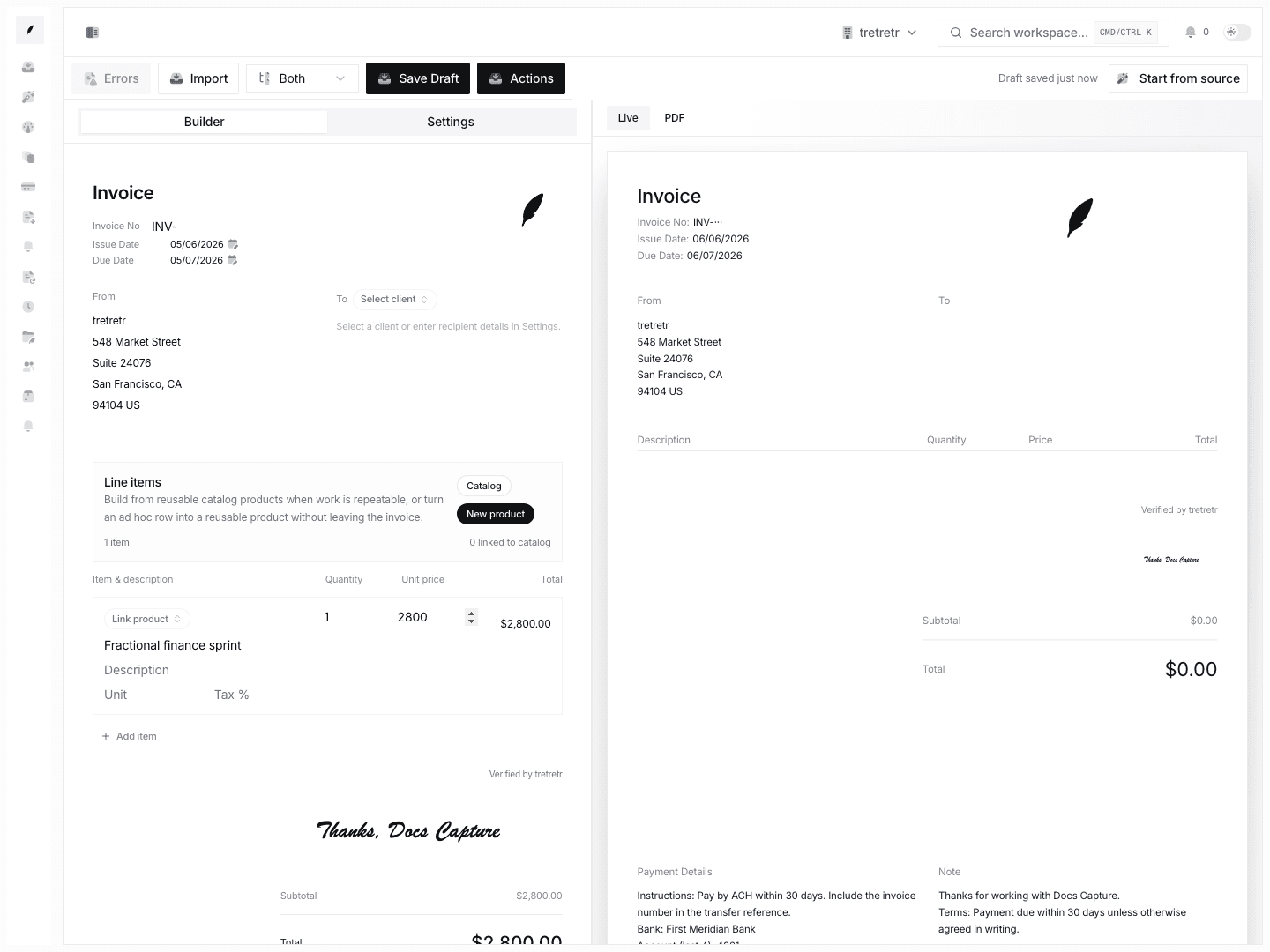
Create invoices that are ready for follow-up
Saved client defaults, reusable line items, and branded templates mean you spend less time building invoices and more time getting paid. Clean data at creation gives every downstream reminder clearer context.
- 01Client defaults auto-fill billing contacts, tax IDs, and terms
- 02Product catalog eliminates retyping the same services
- 03Auto-numbering keeps records traceable across systems
- 04Live preview shows exactly what your client receives
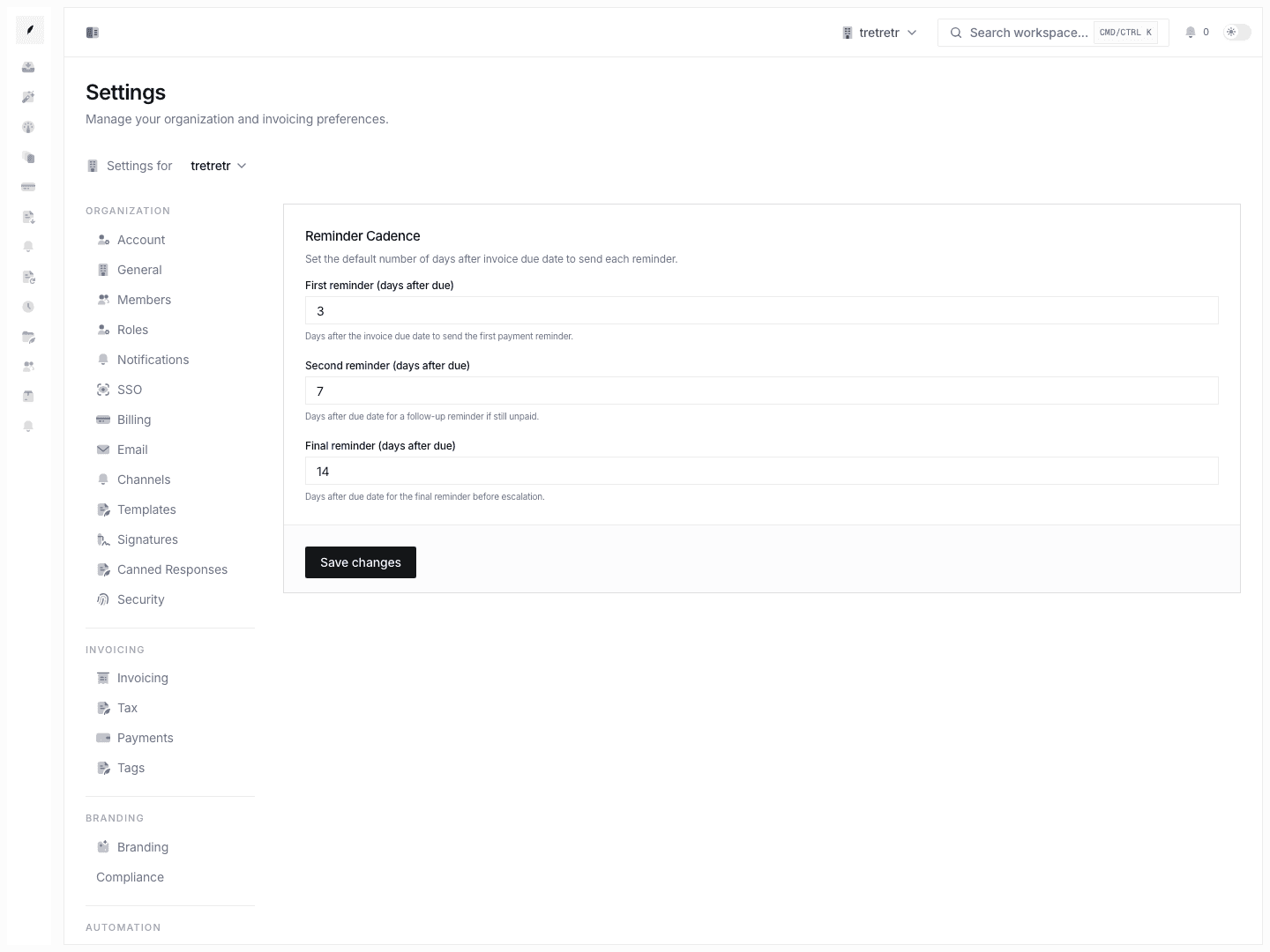
Automate the routine. Review what matters.
Reminder sequences run on schedule while your team reviews sensitive sends, approves escalations, and reassigns accounts. Key timeline events are captured so you can explain important decisions to a client or auditor.
- 01Assign clear ownership so nothing falls through the cracks
- 02Approve or edit reminder drafts before they reach the client
- 03Decision history shows why an escalation happened
- 04Timeline history supports compliance reviews and client disputes
Push invoice context into every system that needs it
Your accounting software knows the amount. Conduitt knows what happened after send. The REST API and exports help move documented invoice context into internal dashboards and workflows.
- 01REST API for invoices, clients, payments, reports, and related resources
- 02Scoped API keys for documented integration workflows
- 03Exports for finance and operations handoffs
- 04Build internal dashboards from supported invoice data

Every building block you need from sent to paid
The building blocks that carry invoice work from send to payment without losing context.
01
Invoice Builder
Build invoices with saved defaults, reusable line items, and live preview so invoicing stays fast and consistent.
02
PDF Templates
Branded templates keep your logo, colors, and payment terms consistent so clients see a polished document every time.
03
Invoice Inbox
One threaded timeline per invoice. Messages, reminders, events, and internal notes in chronological order.
04
Email Delivery
Track sends, deliveries, opens, and clicks per invoice. Know when your client saw it before you follow up.
05
Payment Reminders
Configurable sequences before and after due dates. Every reminder lands in the invoice timeline for full traceability.
06
Client Management
Store billing contacts, payment terms, tax settings, and full invoice history per client. Auto-fill on every new invoice.
07
Product Catalog
Save services with rates and descriptions. Add them to invoices in one click instead of retyping each time.
08
Recurring Billing
Generate invoices on weekly, monthly, or custom schedules. Each recurrence inherits the template and the client defaults.
09
Team Workspaces
Shared queues with clear owners. Anyone on the team can see the full account context and pick up where a colleague left off.
10
Approval Workflows
Route sensitive sends through a review step. Catch errors before they reach the client, not after.
11
Aging Reports
See overdue balances with the conversation context attached. Know why an invoice is stuck, not just that it is.
12
API Access
REST endpoints and API keys for documented invoice workflows. Use exports for handoffs that need files.
What teams say after switching to Conduitt
Every feature is shaped by the people who use it every day.
“The difference is that reminders now go out with context, not just a generic 'your invoice is overdue' email.”
“Three of us were emailing the same client about the same overdue invoice. Now we see who owns it, what was said, and what the client promised. That alone saved us hours every week.”
“I used to spend Monday mornings rebuilding the status of every open invoice from Gmail threads and spreadsheet notes. Now I open one dashboard and it is all there.”
“A client disputed an invoice and I pulled up the timeline, showed every reminder and their reply promising payment, and resolved the conversation from one place.”
Your invoices deserve better than a spreadsheet and a prayer
Start free. Send your first invoice with a timeline and keep the follow-up attached from the start.